AI automation examples are easiest to evaluate when they describe production systems, not demos. The twelve below cover customer support, email, sales, document processing, finance, manufacturing, HR, healthcare, logistics, content, fraud detection, and sentiment analysis. Each one explains what the system actually does, the mechanism behind it, and where the trade-offs sit.
The common thread is the replacement of repetitive, rules-plus-judgment work with software that classifies, predicts, or extracts, then acts on the result. Done well, that shifts human time toward exceptions and strategy. Done badly, it automates errors at scale. That is why every serious deployment pairs the model with confidence thresholds and a human review path.
Use this list to find the pattern that matches your own operations. High-volume tasks with clean digital inputs and a measurable outcome automate well. Low-volume, high-ambiguity tasks usually do not.
What Is AI Automation?
Traditional automation follows fixed rules: if a field equals X, do Y. It breaks the moment inputs vary. AI automation adds machine learning models on top of that rule layer, so the system can classify a document it has never seen, estimate the probability that a transaction is fraudulent, or extract a total from an invoice with an unfamiliar layout.
Three capabilities do most of the work. Machine learning finds patterns in historical data and applies them to new cases. Natural language processing turns unstructured text such as emails, tickets, and contracts into structured intent and entities a workflow can act on. Decisioning logic then converts model outputs into actions, with a confidence threshold that routes uncertain cases to a person. The practical difference from rule-based automation is adaptivity: models improve with feedback, but they also drift as the underlying data changes, so mature teams monitor accuracy in production rather than assuming it holds.
12 AI Automation Examples Maximizing Efficiency Across Industries
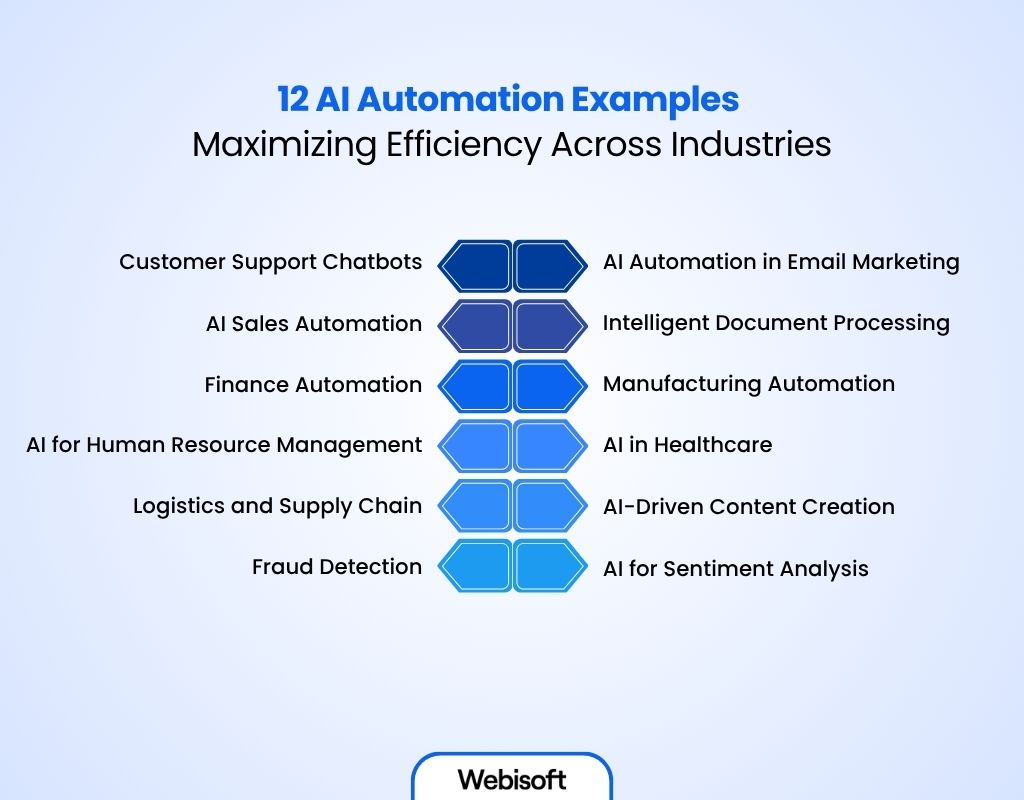
From finance to manufacturing, the same architecture keeps reappearing: a model that scores or extracts, a rules layer that acts, and a review queue for the uncertain cases. Here is how that plays out across twelve functions.
1. Customer Support Chatbots
Modern AI chatbots are retrieval systems, not script trees. An intent classifier works out what the customer is asking, a retrieval layer pulls the relevant answer from the help center or order database, and a language model composes the response. Connected to your CRM, the bot can act as well as answer: check an order status, issue a return label, update an address.
The design decision that separates good deployments from bad ones is the escalation threshold. When the model's confidence drops below a set level, the conversation hands off to a human agent with the full context attached, so the customer never repeats themselves. Teams that skip this ship a bot that guesses, and customers notice immediately.
Key Benefits:
- Efficiency: Routine queries resolve instantly, and one bot handles thousands of concurrent conversations, which no human team can match.
- Cost control: Support headcount scales with exception volume, not total ticket volume.
- 24/7 availability: Customers in every time zone receive continuous support without an overnight shift.
- Compounding accuracy: Every escalated conversation becomes training data, so answer quality improves with use.
Real-World Example:
Zendesk's Answer Bot surfaces help-center answers for common inquiries and deflects routine tickets, so human agents spend their time on the cases that need judgment rather than the ones that need a link.
2. AI Automation in Email Marketing
Email remains the highest-leverage owned channel because the audience is enormous: more than four billion people worldwide use email. AI automation earns its keep in three places: segmentation, timing, and content.
Segmentation models cluster subscribers by observed behavior rather than by the static attributes a marketer would pick manually, which surfaces groups no one thought to define. Send-time optimization learns when each individual recipient actually opens mail and schedules delivery per person. Content tooling generates and tests subject-line variants faster than a manual calendar allows. The trade-off is data volume: these models need a list that is large and active enough to learn from, so small lists see modest gains.
Key Benefits:
- Automated segmentation: Audiences form around behavior, preferences, and lifecycle stage instead of guesswork.
- Personalized content: Subject lines, offers, and send times adapt to the individual, which lifts engagement.
- Efficiency: Campaign management work drops sharply, freeing the team for strategy and creative.
Real-World Example:
Mailchimp applies machine learning to automate A/B testing and send-time optimization, so campaigns reach each subscriber at the moment they are most likely to open.
3. AI Sales Automation
Salesforce's State of Sales research has consistently found that reps spend a minority of their week actually selling. The rest goes to data entry, meeting scheduling, and follow-up: exactly the administrative layer AI automation removes.
Lead-scoring models rank prospects by fit and engagement signals such as pages visited, emails opened, and firmographics, so reps work the pipeline in expected-value order rather than chronologically. Sequencing tools send the follow-up a busy rep would have forgotten. Forecasting models flag deals that are stalling based on activity patterns rather than the optimistic close date typed into the CRM. None of this closes a deal by itself. What it does is ensure that scarce human selling time lands on the accounts most likely to convert.
Key Benefits:
- Automated lead scoring: Prospects are ranked by their measured likelihood to convert, not by gut feel.
- Reliable follow-up: Reminders, emails, and meeting scheduling run automatically, so no lead goes cold from neglect.
- Streamlined workflows: With administrative tasks off their plate, reps spend their hours on conversations that move revenue.
Real-World Example:
HubSpot's AI-assisted sales tools automate lead qualification and outreach sequencing, raising rep productivity by taking routine pipeline hygiene off the human to-do list.
4. Intelligent Document Processing
Intelligent document processing combines OCR with layout-aware models that understand where a value sits on a page. That lets the system pull an invoice total, a contract renewal date, or a claim number from documents it has never seen before, without a template for each vendor. Extracted fields then run through validation rules: does the total match the line items, does the vendor exist in the master file. Anything below a confidence threshold lands in a human review queue.
That review queue is the honest part of the architecture. The realistic goal is straight-through processing for the bulk of routine documents while people handle the exceptions, with every human correction feeding back into the model so the exception rate falls over time.
Key Benefits:
- Faster processing: Data extraction and classification happen in seconds instead of queue days.
- Fewer errors: Validation rules catch mismatches that tired human eyes miss during bulk entry.
- Automatic routing: Documents reach the right approver or system without anyone sorting a shared inbox.
Real-World Example:
Kofax, now Tungsten Automation, built its business on this pattern: enterprises use its platform to automate invoice capture, classification, and approval routing, reclaiming the hours previously spent on manual document review.
5. Finance Automation
Finance is dense with tasks that are high-volume, rule-adjacent, and expensive to get wrong: invoice matching, payment validation, reconciliation, cash-flow forecasting. AI automation performs the three-way match between purchase order, receipt, and invoice, posts the clean ones untouched, and queues only the mismatches for a human.
Forecasting is where machine learning models outperform the spreadsheet, because they use signals a spreadsheet cannot hold: seasonality across thousands of line items, payment-behavior history per customer, external demand indicators. The result is a rolling forecast that updates itself daily rather than a quarterly exercise that is stale on arrival. Fraud and anomaly detection run continuously over the same data, flagging duplicate invoices and out-of-pattern payments before money leaves the account.
Key Benefits:
- Increased efficiency: Routine matching and reconciliation run without manual queues.
- Smarter decisions: Forecasts draw on the full transaction history, not a sampled extract.
- Cost savings: High-volume processes like invoice handling need far less manual effort.
- Fewer errors: Validation logic checks every record, not the fraction a person can review.
- Real-time risk visibility: Anomalies are flagged as they occur, not discovered at month-end close.
Real-World Example:
JPMorgan's COIN platform reviews commercial loan agreements in seconds, work that previously consumed an enormous volume of lawyer and loan-officer hours every year, and it does so with fewer interpretation errors than manual review produced.
6. Manufacturing Automation
Two applications dominate on the factory floor: computer-vision quality inspection and predictive maintenance. Vision systems photograph every unit on the line and classify defects at production speed, catching flaws that sampling-based human inspection statistically misses. Predictive maintenance models read sensor telemetry such as vibration, temperature, and current draw, and recognize the signature of a bearing or motor that is heading toward failure, so the repair happens during planned downtime instead of mid-shift.
The trade-off is instrumentation cost. Predictive maintenance only works on equipment fitted with sensors and a data pipeline, which is why most plants start with the machines whose unplanned failure costs the most, prove the model there, and expand.
Key Benefits:
- Faster production: Optimized workflows remove bottlenecks and lift throughput.
- Higher quality: Every unit is inspected, not a sample, so defects are caught before they ship.
- Less downtime: Failures are predicted and scheduled away instead of stopping the line.
- Better inventory management: Demand-linked planning prevents both overstocking and shortages.
- Improved safety: Dangerous, repetitive tasks move to machines, and monitoring flags hazards early.
Real-World Example:
Siemens runs AI-powered computer vision on its assembly lines to detect product defects during production, turning quality control from a periodic checkpoint into a continuous, real-time process.
7. AI for Human Resource Management
HR carries a heavy load of repetitive, document-driven work, which makes it a natural fit for AI-powered HR automation. Screening models shortlist candidates from large applicant pools in minutes. Onboarding workflows adapt to the role and the individual instead of pushing every hire through the same checklist. Attrition models read engagement and feedback signals to flag teams where turnover risk is climbing, early enough for a manager to intervene.
The trade-off HR teams must engineer around is bias. A screening model trained on historical hiring decisions inherits historical hiring patterns, so responsible deployments audit model outputs for disparate impact and keep a human making every final call.
Key Benefits:
- Faster recruitment: Resume screening and initial assessments run automatically at any applicant volume.
- Smarter onboarding: New hires follow a path personalized to their role and gaps, reaching productivity sooner.
- Better retention: Turnover risk surfaces from feedback and engagement data before resignations arrive.
- Continuous performance insight: Progress and skill gaps are visible year-round, not once at review time.
Real-World Example:
Unilever is already using AI to optimize recruitment: automated early-stage screening and assessments filter large applicant pools so recruiters concentrate their time on interviews and final selection. If you want to modernize your own HR stack the same way, Webisoft's AI development services cover the full build, and Webisoft's team helps you design, integrate, and deploy automation that fits how your organization actually recruits, engages, and retains people.
8. AI in Healthcare
Healthcare is adopting automation on two fronts: clinical and administrative. On the clinical side, imaging models triage X-rays and MRI scans so studies likely to contain urgent findings reach the radiologist first, and pattern analysis across records, labs, and imaging surfaces conditions that are easy to miss in a fifteen-minute visit. On the administrative side, ambient documentation, automated scheduling, and coding assistance strip hours of paperwork out of every clinical day.
Healthcare deployments are also the clearest illustration of human-in-the-loop design done properly: the model drafts, the clinician approves. Nothing enters the patient record without physician sign-off, which keeps accountability where regulation and common sense both say it belongs.
Key Benefits:
- Better diagnostics: Pattern detection across patient data helps catch conditions earlier and more consistently.
- Time savings: Documentation, scheduling, and billing automation return hours to patient care.
- Decision support: Clinicians see relevant history and evidence-based suggestions at the point of care.
- Personalized treatment: Plans reflect the individual patient's data rather than only population averages.
Real-World Example:
Large health systems, Cleveland Clinic among them, have deployed ambient AI technology that listens to patient consultations and drafts the clinical note automatically. The physician reviews and approves the note before it enters the record, so documentation time drops without transferring clinical responsibility to software.
9. Logistics and Supply Chain
The supply-chain disruptions of recent years exposed how fragile manually coordinated logistics are. AI automation addresses that fragility at three layers. On the warehouse floor, automated guided vehicles and autonomous mobile robots route themselves around congestion, rebalance inventory flow, and run around the clock. At the planning layer, demand-forecasting models read order history, seasonality, and market signals to predict spikes, supplier delays, and inventory gaps early enough to act. At the visibility layer, IoT sensors stream real-time location and condition data across shipments and equipment, so delays and breakdowns trigger alerts instead of surprises.
The compounding effect is resilience: each disruption the system observes improves the next forecast, which is something a static planning spreadsheet can never do.
Key Benefits:
- Operational efficiency: Routine movement and replenishment decisions execute without manual dispatch.
- Cost reduction: Inventory optimization cuts both carrying costs and stockout losses.
- Increased safety: Less manual handling means fewer workplace injuries.
- Predictive insight: Disruptions are forecast and mitigated rather than absorbed.
- Real-time visibility: Sensor data and digital twins show the true state of the chain at any moment.
Real-World Example:
DP World's CARGOES platform applies AI-driven predictive analytics to container handling across its port operations, cutting unnecessary container movements and the fuel, time, and equipment wear that go with them.
10. AI-Driven Content Creation
Content demand never stops: blog posts, social campaigns, email sequences, search optimization. Language models now handle the mechanical share of that load, meaning research summaries, first drafts, metadata, and variant generation for testing. The idea is older than the current wave of language models; Yahoo was generating personalized fantasy football recaps automatically back in 2013. What changed is quality and range.
The workflow that holds up in practice is AI drafts, humans edit. The model produces the structured first pass in minutes, and an editor supplies accuracy, judgment, and brand voice. Fully automated publishing is the anti-pattern: it produces thin, interchangeable content that readers bounce off and search engines increasingly discount, so the human review step is not overhead but the thing that protects the channel.
Key Benefits:
- Faster production: Research and drafting compress from days to minutes per piece.
- Search optimization: Keyword research and on-page structure improve systematically rather than ad hoc.
- Personalization: Variants for different audience segments cost minutes instead of a second writing cycle.
- Scalable output: Publishing volume grows without proportional headcount growth, as long as editorial review stays in the loop.
Real-World Example:
Teams pair generation tools like Jasper and Copy.ai for first drafts with Grammarly for editing polish and platforms like Semrush for keyword research, keeping human effort concentrated on strategy and final voice.
11. Fraud Detection
Fraud models score every transaction in real time against the account's own history: location, device, merchant category, spending velocity. Anomalies that would take an analyst hours to find in a report are flagged in milliseconds, and automated actions follow immediately: block the transaction, hold the account, or request verification.
The core engineering problem is the false-positive trade-off. Block too aggressively and you decline legitimate purchases, which costs more customer goodwill than the fraud it prevents. Mature systems tune thresholds by segment and use step-up verification, a push notification rather than a hard decline, for the mid-confidence band. Your security team then investigates only genuine risk while the system absorbs the noise.
Key Benefits:
- Faster detection: Transactions are scored as they happen, not in an overnight batch.
- Proactive prevention: Pattern models catch novel fraud behavior before it becomes a loss category.
- Customer experience preserved: Step-up verification confirms identity without hard-declining good customers.
- Audit-ready compliance: Every automated decision is logged, satisfying regulatory review requirements.
Real-World Example:
Mastercard's Decision Intelligence platform scores transactions across its network in real time, flagging out-of-pattern behavior so fraudulent transactions are stopped in flight rather than disputed after the fact.
12. AI for Sentiment Analysis
Sentiment models classify customer feedback from reviews, surveys, support transcripts, and social mentions at a volume no team could read manually. The useful versions go beyond positive or negative: aspect-based sentiment identifies what the feeling attaches to, so you learn that customers like the product but resent the billing flow, which is an actionable finding rather than a mood score.
Run continuously, this becomes an early-warning system. A spike in negative sentiment around a specific feature shows up in the dashboard days or weeks before it shows up in churn, while there is still time to respond.
Key Benefits:
- Real-time insight: Feedback across all channels is aggregated and classified in minutes.
- Proactive engagement: Emerging issues surface before they escalate into public complaints or churn.
- Sharper decisions: Product, marketing, and support priorities follow measured sentiment, not the loudest anecdote.
- Efficient allocation: Effort concentrates on the aspects customers actually care about.
Real-World Example:
Telecom carriers and airlines run aspect-based sentiment analysis across support transcripts and social mentions to catch emerging complaint themes early, routing systemic issues to product teams instead of letting them recur ticket by ticket.
How Webisoft Can Help You Scale with Custom AI Automation
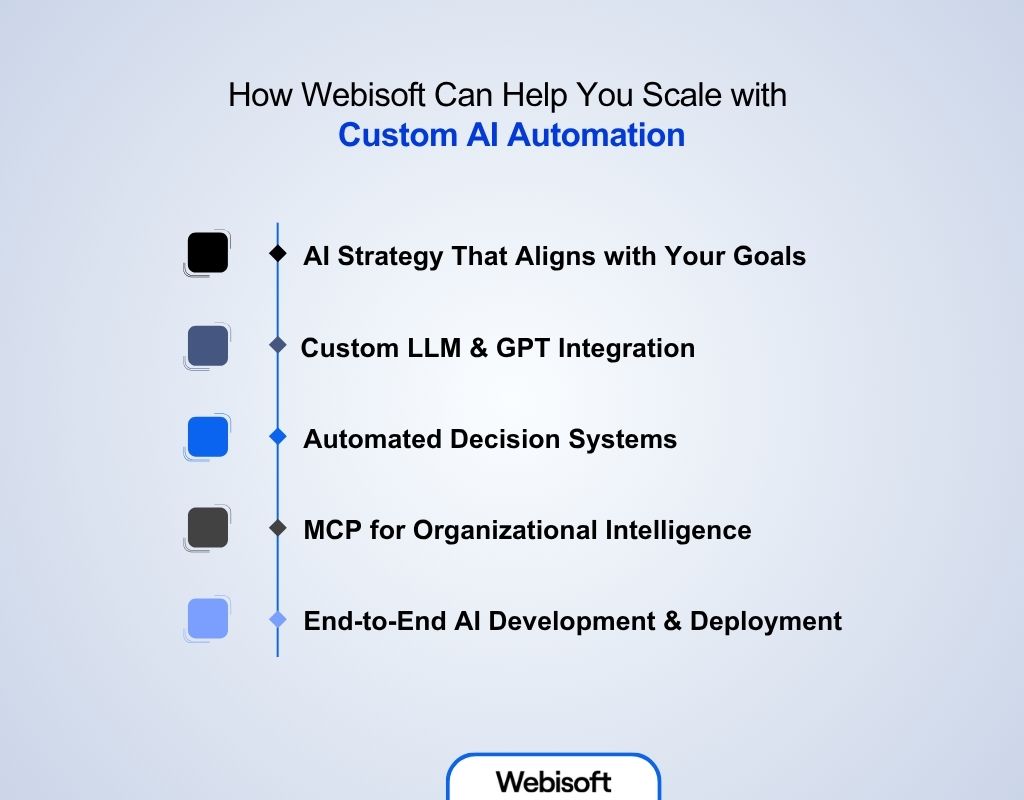
Generic AI tools force your workflows into their shape, and drawn-out custom builds burn quarters you do not have. Webisoft, a Montreal-based full-cycle software development firm, builds automation around your actual processes instead. Here is what that covers:
1. AI Strategy That Aligns with Your Goals
We analyze your operations to identify the automation opportunities with the highest return, then produce a roadmap that connects specific AI capabilities to your business objectives and existing infrastructure. No generic playbooks: the sequencing reflects your data readiness and integration constraints.
2. Custom LLM & GPT Integration
We integrate language models directly into your workflows: customer support, document processing, data analysis. Your teams get AI assistance grounded in your industry terminology, brand voice, and operational context, not a generic chat window bolted onto the side.
3. Automated Decision Systems That Work at Scale
We build systems that process data in real time, flag anomalies, trigger actions, and surface insights without a human bottleneck in the loop, while keeping confidence thresholds and review queues in place for the decisions that warrant human judgment.
4. MCP for Organizational Intelligence
Custom MCP servers make your proprietary data, workflows, and business logic accessible to AI systems in a controlled way. Employees and users get contextual assistance powered by your organization's own knowledge rather than a model's general training.
5. End-to-End AI Development & Deployment
From prototype through production, we handle the complete lifecycle: development, integration with existing systems, deployment, and the monitoring and iteration that keep models accurate as your data evolves.
Where to Start
Every example above targets work someone in your organization is probably doing manually right now, and the gap between automated and manual operations compounds every quarter. The practical entry point is one process that is high-volume, digital, and measurable: invoice handling, support triage, lead scoring. Automate it with human review in place, measure the exception rate, and expand from what the data shows.
Webisoft builds that path end to end, from opportunity analysis through deployment and integration with your existing infrastructure. Explore our AI automation solutions or contact Webisoft to scope the first process worth automating in your operation.
Frequently Asked Questions
RPA (robotic process automation) executes fixed, deterministic rules: click here, copy this field, paste it there. It is fast and cheap but breaks when inputs vary. AI automation adds machine learning models that handle variation, such as classifying documents, scoring leads, or extracting data from unfamiliar layouts. Most production systems combine both, with models making the judgment calls and RPA executing the resulting actions.
Start with processes that are high-volume, fully digital, and measurable, and that tolerate a human review step. Invoice processing, support ticket triage, lead scoring, and document data entry are the usual first candidates. Avoid starting with low-volume, high-ambiguity work, where the model has too little data to learn from and errors are costly.
It depends on the task. Pretrained language and vision models handle general work like drafting text or reading documents with little of your data. Custom scoring and forecasting models, such as lead scoring or churn prediction, need enough of your historical records to learn your patterns. In practice, data quality and labeling consistency matter more than raw volume.
Four controls do most of the work: confidence thresholds that route uncertain cases to a person, human review queues for exceptions, production monitoring that catches accuracy drift as data changes, and staged rollouts that prove the system on a subset before it owns the full volume. Systems designed without these controls automate errors at scale.
Timelines are driven by integration surface and data readiness rather than by the AI itself. A scoped pilot on one clean process typically takes weeks. Enterprise deployments that touch multiple systems, require data cleanup, or carry compliance requirements take longer. The reliable approach is to ship a narrow pilot first, measure it, then expand.
