Every interaction you have online-from chatting with customer support to scheduling appointments often powered by an AI bot working behind the scenes. If you’re curious about how to create an AI bot that can handle conversations and automate tasks effortlessly, you’re in the right place.
AI bots help businesses save time, reduce costs, and improve user satisfaction by providing instant, accurate responses.
To build an effective AI bot, you need to clearly define its goals, select suitable technologies, design intuitive dialogues, train it with relevant data, and test thoroughly. This process ensures your bot performs reliably and meets user expectations.
Interested in building your own AI bot? Keep reading to know about the essential steps to get started.
Essential Tools and Resources for AI Bot Development
Any AI product development requires the right tools to build, test, and deploy intelligent, scalable solutions efficiently.
Here’s a concise overview of essential tools widely used in 2025 to help you understand how to create an AI bot effectively:
| Tool/Platform | Purpose | Key Features & Benefits |
|---|---|---|
| Chatbase | No-code AI chatbot builder | Drag-and-drop interface, natural language processing, analytics, |
| Dialogflow | Conversational AI platform | Multi-language support, Google Cloud integration, and voice recognition |
| Microsoft Bot Framework | Enterprise bot development | Supports multiple platforms, integrates with Azure AI, robust SDKs for customization |
| Rasa | Open-source chatbot framework | Full customization, data privacy, supports NLU and dialogue management |
| PyTorch 3.0 | Deep learning framework | Distributed training, quantized models, popular for research and production |
| TensorFlow 3 | Production-grade ML framework | Enterprise-ready, strong Google Cloud support, scalable deployment |
| LangChain / AutoGen | LLM orchestration and agents | Build multi-step AI workflows, autonomous agents interacting with APIs and databases |
| Jupyter Notebook / VS Code | Development environments | Simplify coding, debugging, and testing with rich extensions and integrations |
| Docker / Kubernetes | Deployment and scaling | Containerization and orchestration for scalable, reliable AI bot deployment |
| Labelbox / Prodigy | Data annotation | Streamline labeling for supervised learning, improve dataset quality |
How to Create an AI Bot From Scratch?
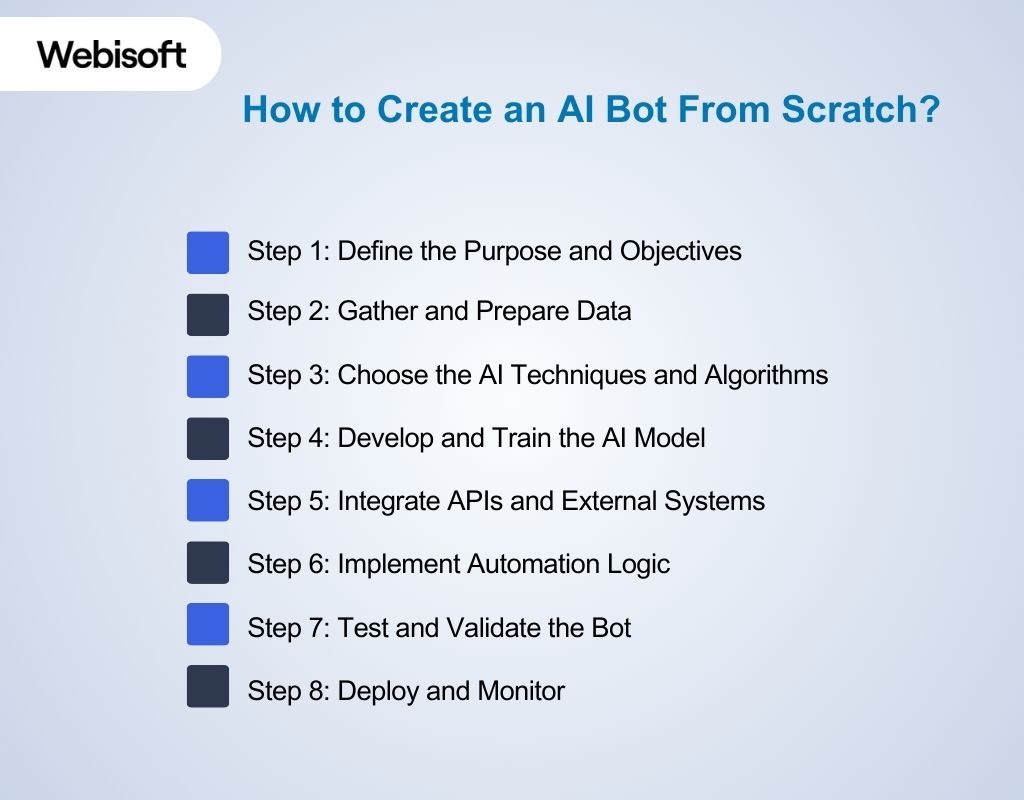
Learn how to create an AI bot with essential steps and tools that help you design intelligent, responsive bots to enhance user experience.
Step 1: Define the Purpose and Objectives
Start by pinpointing the exact problem your AI bot will solve. This means detailing the specific tasks it must perform and the outcomes you expect.
Avoid vague goals; instead, focus on measurable objectives such as improving process efficiency by a certain percentage or reducing manual workload within a defined scope.
Engage stakeholders early to understand business needs and constraints, ensuring alignment with organizational priorities.
Clearly documenting these objectives guides development, sets success criteria, and helps prioritize features. For example, if the bot automates data analysis, specify the type of data, frequency, and expected insights.
Step 2: Gather and Prepare Data
Once you have defined the purpose and objectives of your AI bot, the next step is to gather and prepare the relevant data.
This means identifying and sourcing the types of data that directly support your bot’s tasks. It ensures the data is clean and organized for effective use.
Different tasks require different data types. The data should be relevant, accurate, and varied enough to cover different scenarios your bot will face.
| Source | What to Collect |
|---|---|
| Internal Databases | Transaction records, customer profiles, logs |
| CRM Systems | Customer interactions, sales opportunities |
| Business Applications | Operational metrics, workflow logs |
| Public Data Repositories | Open datasets relevant to your domain (e.g., government stats, industry reports) |
| Social Media Platforms | User comments, reviews, and sentiment data |
| Customer Support Logs | Common issues, resolution steps, and response times |
| Third-party APIs | Market data, financial feeds, and weather information |
After identifying sources, ensure data is cleaned and formatted consistently to match your bot’s needs. This targeted approach ensures your AI bot receives precise, actionable data aligned with your defined objectives.
Step 3: Choose the AI Techniques and Algorithms
After preparing your data, selecting the right methods and AI technologies is key to creating an AI bot that performs well. For tasks like sorting or categorizing structured data, use decision trees or random forests for clear, fast results and easy troubleshooting.
If accuracy is critical and you have sufficient data and computing power, consider neural networks or boosting methods.
For bots handling sequences-such as time series or process automation-choose models that manage order and context effectively.
When working with text or language inputs, use sequence-based approaches that understand word order and meaning. Always balance model complexity with your need for explainability and resource limits.
Step 4: Develop and Train the AI Model
After selecting your AI methods and preparing your data, follow these professional steps to develop and train your AI model effectively:
- Data Splitting: Divide your dataset into training, validation, and test sets. This ensures you can train the model, tune it, and evaluate its performance on unseen data to avoid overfitting.
- Start Small: Begin training with a smaller subset of data to quickly identify issues and adjust parameters before scaling up.
- Hyperparameter Tuning: Systematically adjust key settings like learning rate, batch size, and number of training cycles (epochs) using methods such as grid search or Bayesian optimization to find the best configuration.
- Data Augmentation: Enhance your dataset by creating variations (e.g., rotating images, paraphrasing text) to improve model generalization.
- Regularization: Apply techniques like dropout or weight decay to prevent the model from memorizing training data instead of learning patterns.
- Cross-Validation: Use k-fold cross-validation to ensure the model performs consistently across different data splits.
- Transfer Learning and Fine-Tuning: When applicable, start with pre-trained models and adapt them to your specific data, saving time and resources.
- Iterative Training: Continuously monitor performance metrics (accuracy, precision, recall) on validation data, retrain as needed, and document all results for transparency.
Work with experts who understand the problem to select important data points that improve results.
Test the model using different data samples to ensure it performs well in various situations. Keep detailed records of your process and results to track progress and support future improvements.
Step 5: Integrate APIs and External Systems
After your AI model is trained and validated, the next critical step in how to create an AI bot is integrating it into the operational environment.
Effective integration ensures the AI bot functions seamlessly within the existing technology ecosystem. It offers real-time responses, data exchange, and workflow automation through AI integration in business.
Key Considerations for Integration:
- Identify Integration Points:
Clearly define where and how the AI bot will connect with external systems. Common integration points include web applications, messaging platforms, CRM, databases, IoT devices, or third-party APIs. This ensures that the bot can access the required inputs and deliver outputs in the correct context. - Select Suitable API Architectures:
Use standard, scalable, and secure API architectures such as RESTful APIs or gRPC. REST APIs are widely supported and easier to implement for HTTP-based communication, while gRPC offers performance advantages for internal microservices with strict latency requirements. Consider asynchronous communication methods for real-time or event-driven use cases. - Authentication and Security:
Implement robust authentication and authorization mechanisms such as OAuth 2.0, API keys, or JWT tokens to secure data exchanges between the bot and external systems. Ensure encryption for all communication channels to protect sensitive information and comply with data privacy regulations like GDPR or HIPAA. - Data Transformation and Validation:
Establish data transformation layers or middleware to translate and validate data formats between your AI bot and external systems.
This prevents data inconsistencies and errors, ensuring that inputs and outputs align with expected schemas and business rules.
- Error Handling and Resilience:
Design integration components to gracefully handle failures such as network outages, API rate limits, or unexpected data.
Implement retry logic, circuit breakers, and comprehensive logging to maintain system reliability and facilitate troubleshooting.
- Monitoring and Analytics:
Incorporate monitoring tools to track API usage, latency, error rates, and data flow between the AI bot and external systems. Continuous monitoring helps proactively identify integration bottlenecks and supports performance tuning and capacity planning.
Step 6: Implement Automation Logic
After integrating your AI model and external systems, the next crucial step in how to create an AI bot is implementing the automation logic.
This logic defines the triggers, decision rules, and actions that allow the bot to operate autonomously and respond appropriately.
Key points to focus on:
- Define Workflow Triggers: Specify the exact events or inputs that start the bot’s actions, such as user messages, data changes, or scheduled tasks.
- Set Decision Rules: Use business rules and AI model outputs to guide the bot’s responses. For instance, route requests to a human agent if confidence is low.
- Handle Exceptions: Build in error handling to manage unexpected issues smoothly, with retries or fallbacks as needed.
- Maintain Context: Enable multi-step conversations or processes by tracking state and user interactions to provide relevant responses.
- Optimize Performance: Ensure the automation runs efficiently and can scale with demand, using asynchronous or event-driven methods if appropriate.
Practical AI Implementation Example:
Let’s say you are building an AI bot for customer support automation in an e-commerce platform. The automation logic might include:
Trigger: A customer sends a query about order status via chat.
Decision Logic:
- The bot queries the order database using the customer’s ID.
- If the order status is “Shipped,” the bot automatically replies with the estimated delivery date.
- If the status is “Pending,” the bot offers to notify the customer when the order ships.
- If the status cannot be retrieved or confidence in the user’s identity is low, the bot escalates to a human agent.
Exception Handling: If the database query fails, the bot apologizes and logs the issue for IT follow-up.
Multi-Step Interaction: If the customer opts for notifications, the bot captures contact details and schedules follow-up alerts.
Step 7: Test and Validate the Bot
Once your AI model is developed, thorough testing and validation are essential to ensure it performs reliably in real-world conditions.
Start by evaluating the model on your reserved test data, measuring key metrics like accuracy, precision, recall, and error rates.
For example, if your bot predicts equipment failures, check how often it correctly identifies failures (true positives) versus false alarms.
Next, conduct stress tests by feeding the bot unusual or rare inputs-like unexpected sensor readings, to verify its stability. If the bot interacts with users, perform user acceptance testing to confirm it meets expectations.
Monitor for biases or errors, such as consistently misclassifying certain data types, and adjust accordingly. Document all results and procedures to ensure transparency and guide future improvements.
Step 8: Deploy and Monitor
After implementing and testing your AI bot, the final critical phase is deploying it to a production environment.
All you need to do is continuously monitor its performance to ensure reliability, accuracy, and user satisfaction.
Key Actions:
- Deployment:
Deploy the AI bot on a scalable, secure infrastructure such as AWS, Azure, or on-premises servers. For example, you might containerize your bot using Docker and deploy it with Kubernetes to handle fluctuating traffic seamlessly. - Performance Monitoring:
Track key metrics like response time, accuracy, error rates, and user engagement using tools such as Prometheus or Grafana. For instance, monitor average response time to ensure the bot replies within acceptable limits. - Error Handling and Alerts:
Configure automated alerts through systems like PagerDuty or AWS CloudWatch to notify your team of critical failures or unusual activity, such as repeated API timeouts, enabling quick troubleshooting. - Continuous Improvement:
Analyze monitoring data to identify areas for improvement. For example, if user satisfaction drops due to misunderstood queries, retrain the model with new examples and update the automation logic accordingly.
Key Factors To Consider While Creating an AI Bot
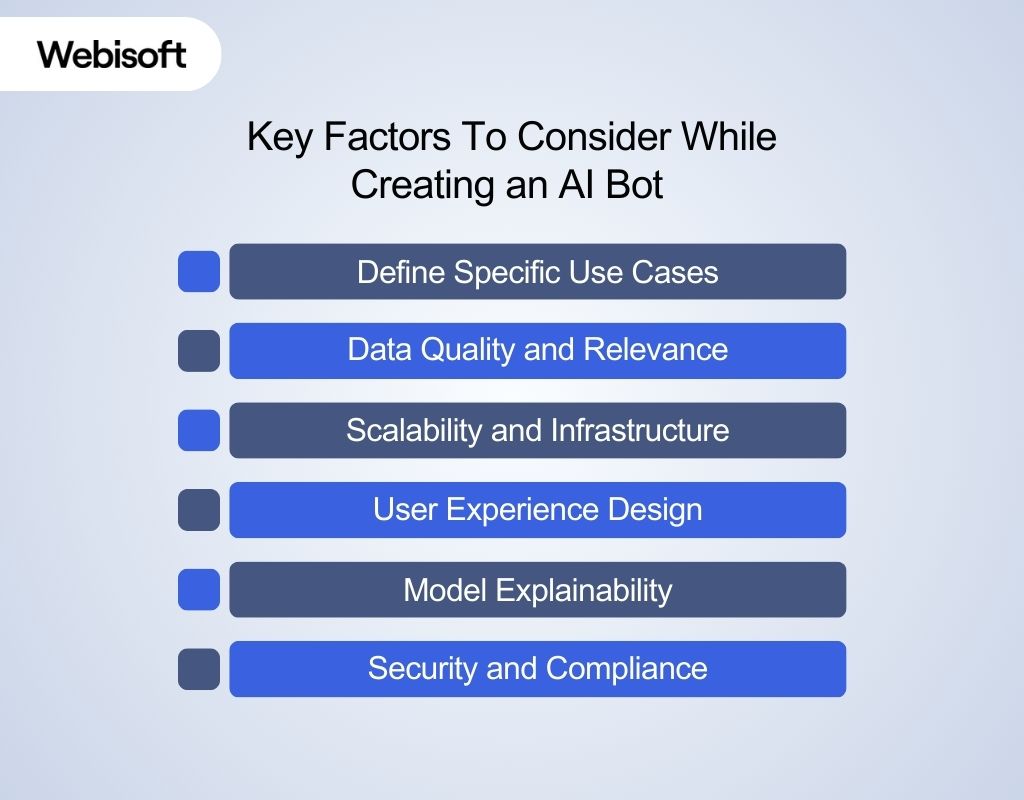
Understanding how to create an AI bot ensures you build a reliable, user-friendly, and effective solution beyond basic automation.
1. Define Specific Use Cases
Identify precise tasks your AI bot will handle, such as automating invoice processing or monitoring equipment health. Clear use cases focus development on solving real problems rather than generic automation.
2. Data Quality and Relevance
Gather clean, representative data that mirrors real-world scenarios your bot will face. For example, a supply chain bot needs up-to-date inventory and shipment records to function accurately.
3. Scalability and Infrastructure
Plan for future growth by selecting infrastructure that supports scaling, whether cloud-based or on-premises. This ensures your bot can handle increased data volume or user interactions without performance loss.
4. User Experience Design
Design interactions that suit the bot’s function-whether API-driven automation or user-facing interfaces-ensuring smooth integration and minimal friction in workflows.
5. Model Explainability
Choose methods that allow you to explain the bot’s decisions, especially in regulated industries. Transparent models build trust and facilitate troubleshooting.
6. Security and Compliance
Ensure your AI bot complies with laws like GDPR and HIPAA by securing data, obtaining user consent. It offers safe data access and maintains transparency and regular audits.
Real-World Examples of AI Bot Implementation
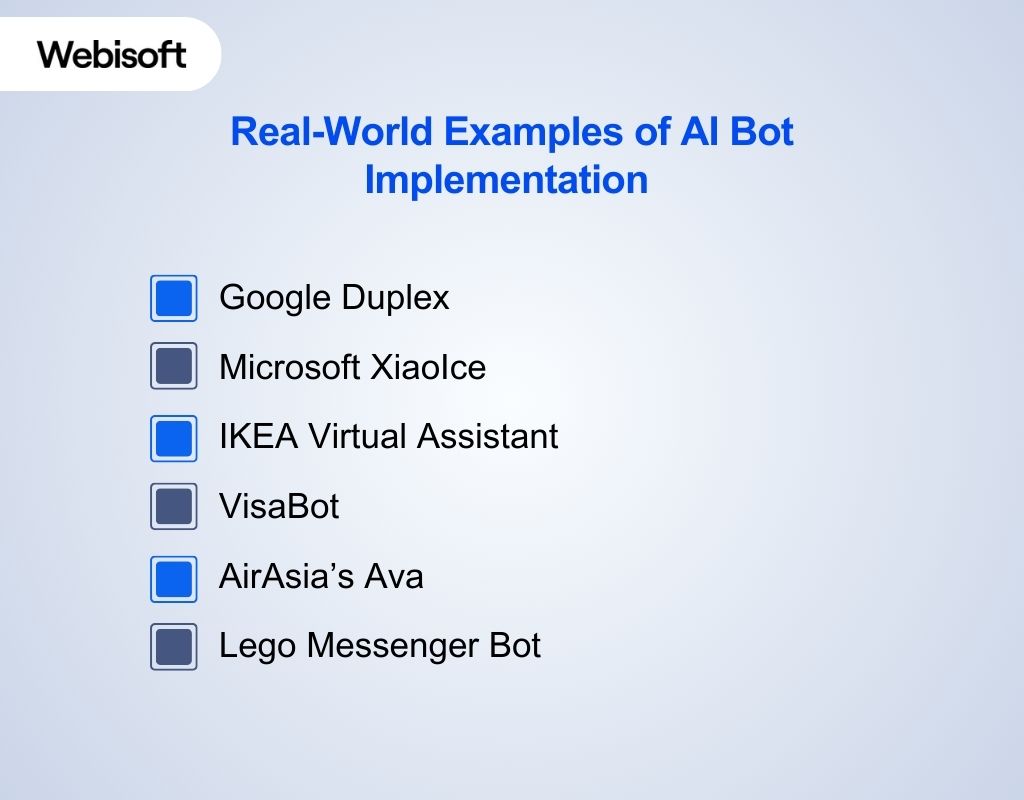
AI bots are transforming industries by automating diverse tasks. Here are real-world examples showcasing different types of AI bots:
1. Google Duplex
Google’s voice-based AI bot handles natural conversations to book appointments and reservations seamlessly, saving users time and effort. It uses advanced speech recognition and natural language understanding to interact almost indistinguishably from a human assistant.
2. Microsoft XiaoIce
A social chatbot in China, XiaoIce, engages users with natural, context-aware conversations and image recognition, achieving over 0.5 billion interactions within months.
It focuses on emotional connection, providing companionship and entertainment beyond simple Q&A.
3. IKEA Virtual Assistant
IKEA Virtual Assistant helps customers find furniture and design ideas based on preferences, boosting customer satisfaction by 30% and online sales by 25%.
It integrates with IKEA’s product catalog and uses AI to recommend personalized solutions for home decor.
4. VisaBot
Visa’s AI bot provides real-time transaction alerts and spending insights, reducing fraud complaints by 30% and increasing mobile banking usage. It uses machine learning to detect suspicious activity and offers personalized financial advice.
5. AirAsia’s Ava
Ava assists travelers with flight bookings and status updates, reducing support tickets by 30% and improving customer satisfaction by 20%. It supports multiple languages and integrates with AirAsia’s booking system for a seamless user experience.
6. Lego Messenger Bot
Engages users with interactive building challenges, increasing website engagement by 50% and driving a 40% conversion rate to purchases. Lego Messenger Bot combines gamification with product promotion, encouraging creativity and brand loyalty.
Let Webisoft Power Your AI Bot Journey
Building an AI bot from scratch can be overwhelming especially if you’re balancing custom development, model fine-tuning, system integration, and long-term maintenance. That’s where Webisoft comes in.
We help you cut through complexity and get your AI bot production-ready faster, smarter, and with less risk.
Here’s how we support your build:
- AI Strategy & Use-Case Design
Not sure where to start? Our AI consulting services help you define goals, map use cases, and shape a strategy that actually delivers ROI. - Custom LLM & GPT Integration
Want your bot to sound human? We fine-tune large language models like GPT to match your brand tone, knowledge base, and user flow — ensuring every conversation feels natural. - Back-End + API Integration
Your bot shouldn’t live in isolation. We connect it to your CRM, ERP, payment gateway, or proprietary system through secure AI-powered integrations. - Full-Cycle Development & Deployment
From model training to UI build and cloud deployment — our team handles the full stack so your bot runs smoothly and scales easily. - Post-Launch Monitoring & Optimization
We don’t stop at delivery. Our ongoing AI support ensures your bot adapts to changing behavior, new data, and evolving business goals.
Ready to launch smarter AI bots, faster? Let’s build it together.
Future Trends in Chatbot Development
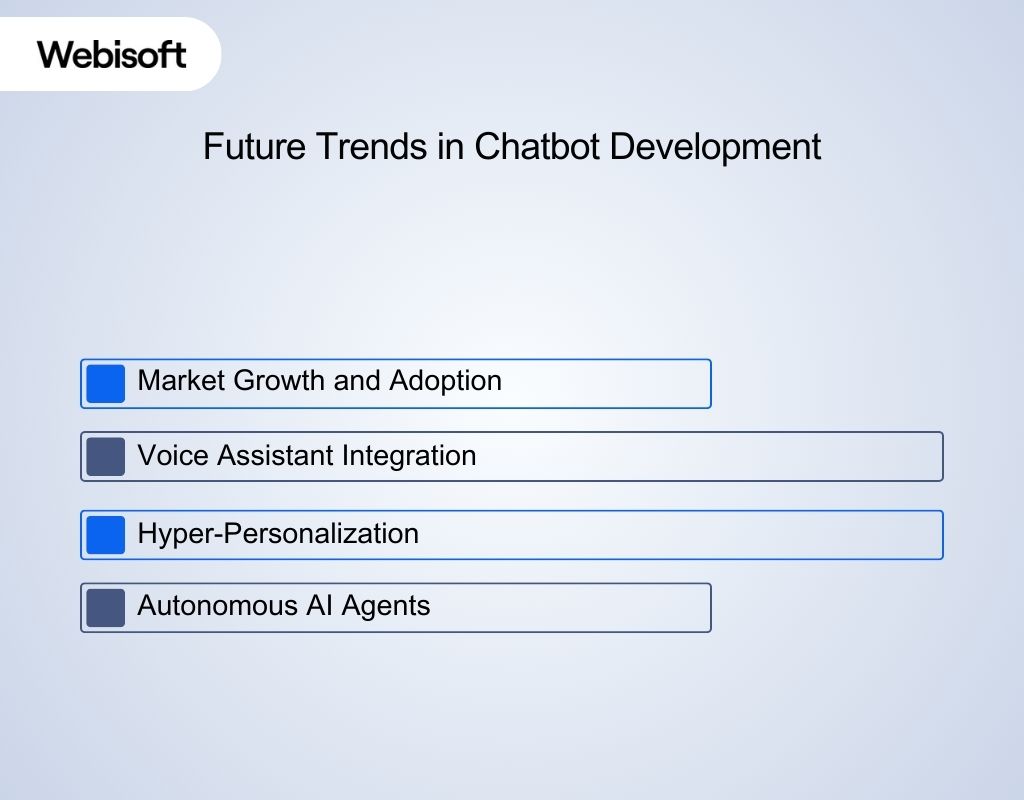
AI bot development is rapidly evolving, shaping how businesses engage customers and automate tasks. Here are key future trends backed by recent data:
1. Market Growth and Adoption
The global chatbot market is expected to grow over 6 times from 2016 to 2025, reaching $1.25 billion. AI adoption grows at nearly 36% annually, with 83% of companies prioritizing AI in their strategies.
2. Voice Assistant Integration
By 2025, AI bots will increasingly integrate with voice assistants like Alexa and Google Assistant, supporting seamless voice commands across devices.
3. Hyper-Personalization
AI bots will deliver highly personalized experiences by analyzing user preferences and behavior, increasing engagement and customer loyalty
4. Autonomous AI Agents
By 2028, AI agents are predicted to autonomously handle 15% of daily work decisions. It improves the productivity with the raise of new ethical and regulatory challenges.
Conclusion
In summary, knowing how to create an AI bot from scratch empowers you to build intelligent tools that improve customer engagement and automate key tasks.
By carefully defining your bot’s purpose, selecting the right platforms, preparing quality data, and continuously refining your model, you can deliver a seamless user experience.
AI bots are no longer futuristic- they are essential business assets in 2025.
Ready to bring your AI bot vision to life? Contact Webisoft today for a free consultation and expert guidance on building custom AI bots that drive real results.
Let’s create the future together!
FAQs
The timeline varies depending on complexity, but a basic AI bot can be developed in a few weeks. More advanced bots with custom features may take several months.
Basic bots can be created using no-code platforms, but for advanced customization and integration, programming knowledge is helpful.
You need relevant, high-quality data such as conversation logs, FAQs, or customer queries. The better the data, the more accurate your bot will be.
Continuous monitoring, regular updates, and retraining with new data help maintain your bot’s performance and adapt to changing user needs.