Standard AI tools don’t fit your processes, compliance rules, or data privacy requirements. You need Custom AI agents customized to your exact business operations.
Blog categories


Share
How to Build a Custom AI Agent: A Complete Guide in 2025

- BLOG
- Artificial Intelligence
- October 14, 2025
If you’re looking to automate unique business processes or deliver smarter customer experiences, a custom AI agent is the answer. But building one that truly fits your needs isn’t just about technology; it’s about expertise and understanding your goals.
So, how to build a custom AI agent? The process includes —
- Clarifying your objectives
- Assembling and preparing the right data
- Choosing the best development platform
- Connecting it to your chosen systems
Each step requires careful planning and technical know-how. That’s why it makes sense to trust a proven team like Webisoft.
You can also avoid common shortcomings by partnering with experts. In this guide, you’ll learn what’s involved at every stage and why having the right partner makes all the difference.
Contents
- 1 How a Custom AI Agent Works
- 2 Types of AI Agents
- 3 Understanding the Technologies of an AI Agent
- 4 Quick Table: When to Choose No-Code vs. Code-Heavy Platform
- 5 Plan Your Custom AI Agent
- 6 How to Build a Custom AI Agent with No-Code Method
- 7 How to Build a Custom AI Agent: Full-Code Method
- 7.1 Step 1: Arrange Required Frameworks and Libraries
- 7.2 Step 2: Set Up Your Development Environment
- 7.3 Step 3: Get Your API Keys and Set Up Config
- 7.4 Step 4: Write the Core Agent Code
- 7.4.0.1 load_dotenv()
- 7.4.0.2 openai.api_key = os.getenv(“OPENAI_API_KEY”)
- 7.4.0.3 def ask_agent(message, model=”gpt-3.5-turbo”):
- 7.4.0.4 response = openai.ChatCompletion.create(
- 7.4.0.5 model=model,
- 7.4.0.6 messages=[{“role”: “user”, “content”: message}]
- 7.4.0.7 )
- 7.4.0.8 return response.choices[0].message[“content”]
- 7.4.0.9 print(ask_agent(“How can I reset my password?”))
- 7.5 Step 5: Add Tools and Actions
- 7.6 Step 6: Integrate with External Systems
- 7.7 Step 7: Test Interactions and Handle Errors
- 7.8 Step 8: Launch Your Agent
- 8 Advanced Features to Use with Your Custom AI Agents
- 8.1 1. Contextual Understanding and Personalization
- 8.2 2. Continuous Learning and Adaptability
- 8.3 3. Integration with Proprietary and Real-Time Data
- 8.4 4. Autonomous Decision-Making and Multi-Agent Collaboration
- 8.5 5. Generative and Predictive Capabilities
- 8.6 6. Scalability and Reliability
- 8.7 7. Explainability and Transparency
- 8.8 8. Enterprise-Grade Security
- 9 What are the Differences Between Custom vs. General AI Agents
- 10 Limitations of AI Agents and How to Avoid Them
- 11 Who Should Invest in a Custom AI Agent?
- 11.1 Have unique workflows or industry-specific needs
- 11.2 Want seamless integration with your systems
- 11.3 Require advanced features or domain expertise
- 11.4 Need full control over data and compliance
- 11.5 Want ongoing support and continuous improvement
- 11.6 Looking for measurable ROI and business impact
- 12 How Webisoft Can Help You with Building a Custom AI Agent
- 13 Conclusion
- 14 FAQs
How a Custom AI Agent Works
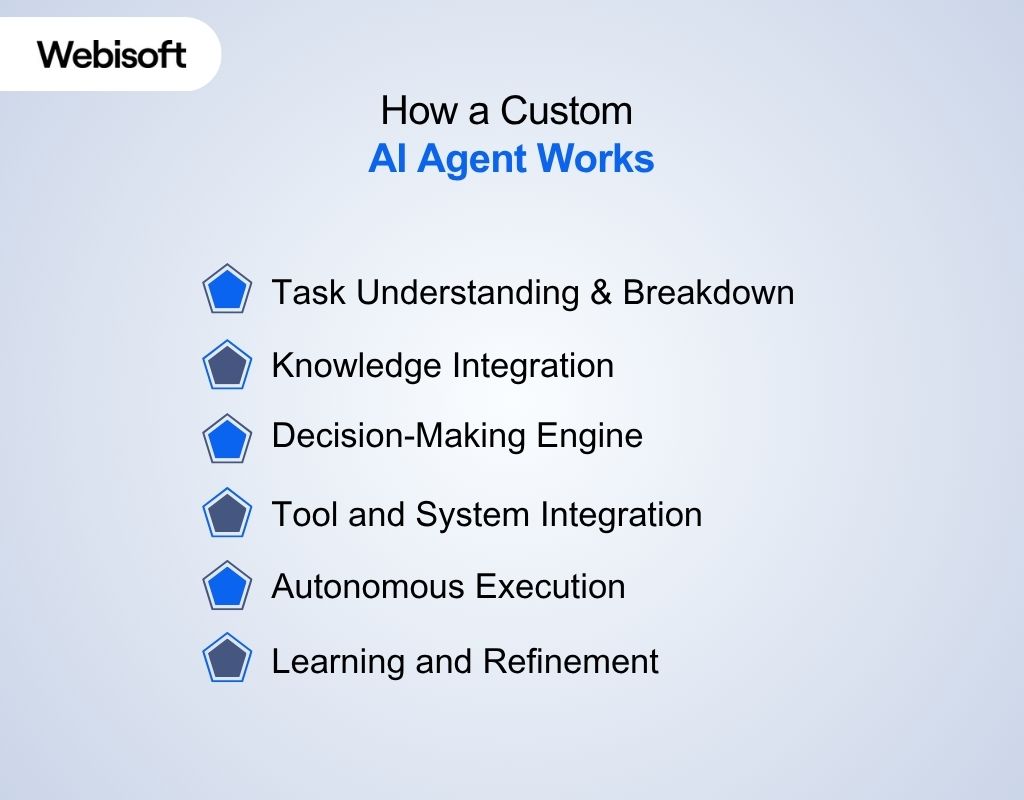
A custom AI agent works by combining advanced AI models with your specific business data, rules, and workflows. Here’s the process of how it works:
Task Understanding & Breakdown
The agent receives a goal or input, like a user question or a business event. It breaks this down into smaller, manageable subtasks and determines the best sequence to accomplish the overall objective.
Knowledge Integration
It taps into your proprietary knowledge base, documents, databases, or business logic, so its responses and actions are always relevant and accurate for your specific context.
Decision-Making Engine
Using advanced algorithms (like decision trees, rule-based logic, or reinforcement learning), the agent evaluates options and selects the best course of action for each step.
Tool and System Integration
The agent connects with external applications (CRMs, ERPs, APIs, or custom tools) to fetch data, update records, or trigger automated workflows.
Autonomous Execution
It carries out tasks independently, adapting as needed based on real-time feedback, user input, or changes in data.
Learning and Refinement
Many custom agents use machine learning to improve over time, learning from new data, user feedback, and changing business requirements to deliver better results.
To get a complete understanding, you can follow the custom AI agent workflow below –
- Input Reception
- Intent Understanding & Task Breakdown
- Contextual Knowledge Retrieval
- Decision-Making
- Tool and System Interaction
- Output Delivery
- Feedback Loop and Learning
Types of AI Agents
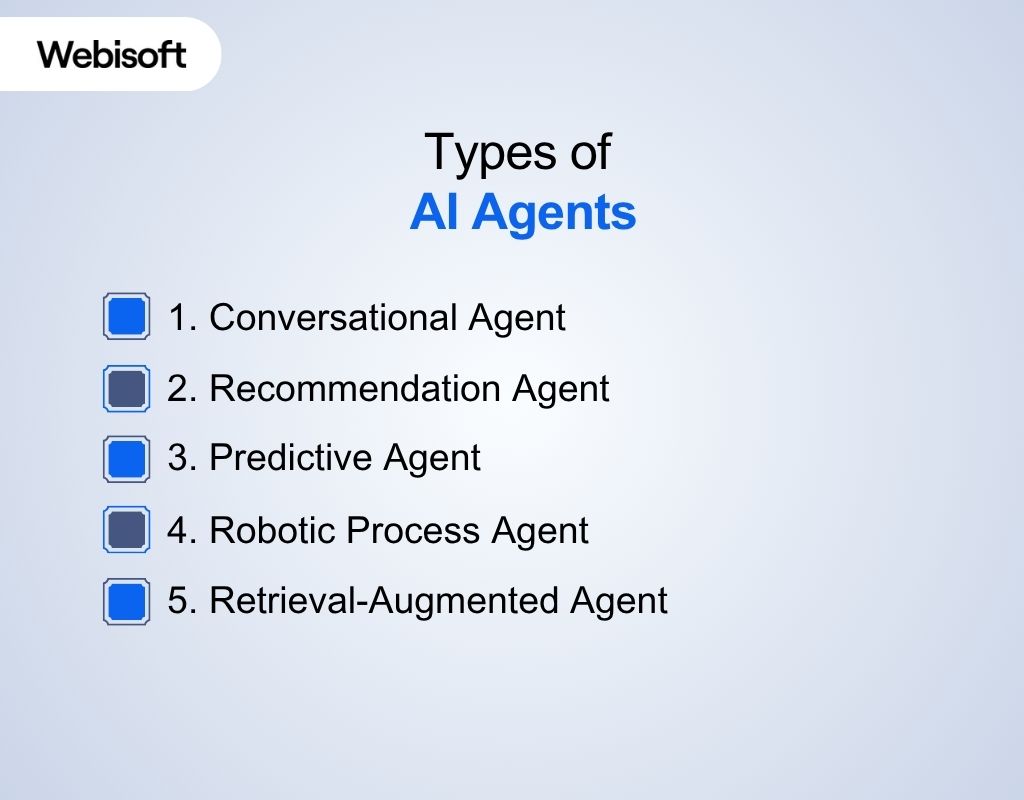
In business, you want something that actually solves your problems and fits your workflow, not just a flashy gadget. Here are some practical types of custom AI agents:
1. Conversational Agent
This AI handles chats, answers questions, and guides users through support or sales. It can automate customer service, handle FAQs, and qualify leads.
With the right customization, it’ll speak in your brand’s voice, handle industry-specific topics, and connect smoothly with your existing systems. Perfect if you want reliable, 24/7 support without hiring extra staff.
2. Recommendation Agent
A recommendation agent studies user behavior and suggests products, services, or content that match their interests.
Customizing it with your own data and business logic means it can deliver spot-on recommendations that drive engagement and boost sales, which is especially useful for retailers, e-commerce, and streaming platforms.
3. Predictive Agent
Need to know what’s coming next? Predictive agents analyze your historical data to spot patterns and forecast trends, from sales spikes to customer churn.
When customized to your business, these agents help you plan inventory, set budgets, and make proactive decisions based on real insights, not just guesses.
4. Robotic Process Agent
If your team is drowning in repetitive tasks, this is your digital workhorse. It automates things like invoice processing, data entry, or sending routine emails.
A custom robotic process agent follows your specific business rules and integrates with your tools, freeing up your people for more important work (and reducing errors along the way).
5. Retrieval-Augmented Agent
This AI pulls up-to-date info from company files, knowledge bases, or the web to answer complex questions. It’s great for internal help desks, onboarding, or compliance support.
If your staff needs fast, reliable answers from a mountain of documents, a retrieval-augmented agent can make knowledge easy to find and use.
Understanding the Technologies of an AI Agent
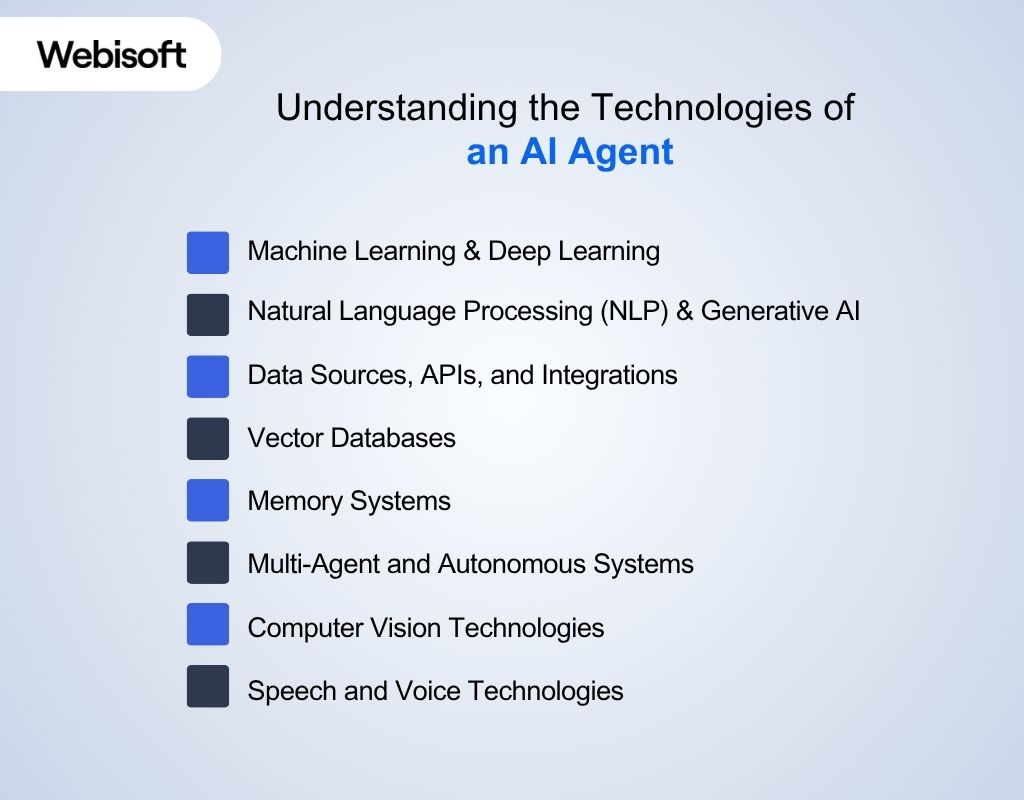
An AI agent, whether it’s customized or for regular tasks, uses multiple technologies to work smoothly. Here’s the list of technologies:
1. Machine Learning & Deep Learning
Machine learning is how an AI agent learns from data and improves over time. There are three main ways this happens:
- Supervised learning: The agent learns from labeled examples, like sorting emails as spam or not.
- Unsupervised learning: The agent finds patterns in data without labels.
- Reinforcement learning: The agent learns by trial and error, getting rewards for good choices.
2. Natural Language Processing (NLP) & Generative AI
NLP is how AI agents understand and respond to human language. It uses:
- LLMs (Large Language Models): The “brain” behind chatbots and assistants. They can answer questions, summarize, and write.
- Prompt engineering: The way you ask a question changes the answer you get. Well-crafted prompts lead to better results.
- Retrieval-augmented generation: The agent pulls information from your files or database, so answers are always specific and up-to-date.
3. Data Sources, APIs, and Integrations
AI agents need access to the right data and tools to work well.
- Structured data: Organized in tables or databases, such as sales records.
- Unstructured data: Messy formats like emails, PDFs, or audio files.
- APIs: Connect the agent to your CRM, ERP, or other business apps.
- Integrations: Let the agent pull, update, and use business data in real time.
4. Vector Databases
Vector databases help AI agents “search by meaning,” not just by keywords.
- Store information as vectors so the agent can find similar ideas even with different words.
- Useful for smart search, recommendations, and context-aware answers.
- Uses popular tools, such as Pinecone, Weaviate, and Chroma.
5. Memory Systems
Memory lets AI agents remember past interactions and improve responses.
- Short-term memory: Keeps track of the current conversation or session.
- Long-term memory: Stores info across many sessions, so the agent remembers user preferences or past questions.
6. Multi-Agent and Autonomous Systems
Sometimes, several AI agents work together to handle bigger tasks. Such as:
- Each agent can focus on a different job, for example, one for support, one for inventory, and one for security.
- Agents can share information and coordinate actions.
- Uses frameworks, for instance, CrewAI, LangGraph, and AgentVerse.
7. Computer Vision Technologies
Computer vision lets agents “see” and understand images or video.
- Used for tasks like image recognition, quality checks, or document scanning.
- Helps automate work that involves photos or visual data.
8. Speech and Voice Technologies
Speech and voice tools let agents talk and listen.
- Speech-to-text: Turns spoken words into text.
- Text-to-speech: Read the text out loud.
- Tools: Whisper, Vapi.AI.
Quick Table: When to Choose No-Code vs. Code-Heavy Platform
You have two popular options to build the AI agent with: no-code and code-heavy. Here’s a quick comparison to help you pick the right AI agent platform that fits your business best:
| Approach | Best For | Tools/Platforms |
| No-Code | Fast setup, non-technical users, common business tasks, quick prototyping, easy changes, tight deadlines | Botpress, Salesforce, Bubble, Zapier |
| Code-Heavy | Full control, custom logic, advanced or unique needs, deep integration, complex workflows, scalability | TensorFlow, Hugging Face, LangChain |
Plan Your Custom AI Agent
After you decide between how to build a custom AI agent with no-code or code, the developer will move on to plan the process by finding essential data. Such as:
Step 1: Identifying the Problem and Defining Clear Goals
Pinpoint the exact issue your business needs to solve. Interview team members, review customer feedback, and examine workflows for slowdowns or mistakes.
Define success with measurable targets, such as reducing customer wait times or automating a set percentage of data entry. Use numbers and deadlines to track progress and measure the agent’s impact.
You can also consult Webisoft for AI strategy to find out the main purpose of your customized AI agent.
Step 2: Mapping User Journeys and Agent Roles
Lay out each step a user takes with your AI agent. Create a flowchart or write the sequence from the first question to the outcome. Decide what the agent handles and when to involve a human.
Next, the developer will set the agent’s voice and tone to match your brand and establish clear limits on its responsibilities.
Step 3: Data Strategy – Collection, Privacy, and Quality
Collect the data your agent needs, such as customer messages or product details. Clean the data to remove errors and duplicates.
Protect sensitive information with encryption and access controls, following privacy laws like GDPR or CCPA. Regularly check for bias or gaps, and retrain the agent as needed to maintain accuracy.
How to Build a Custom AI Agent with No-Code Method
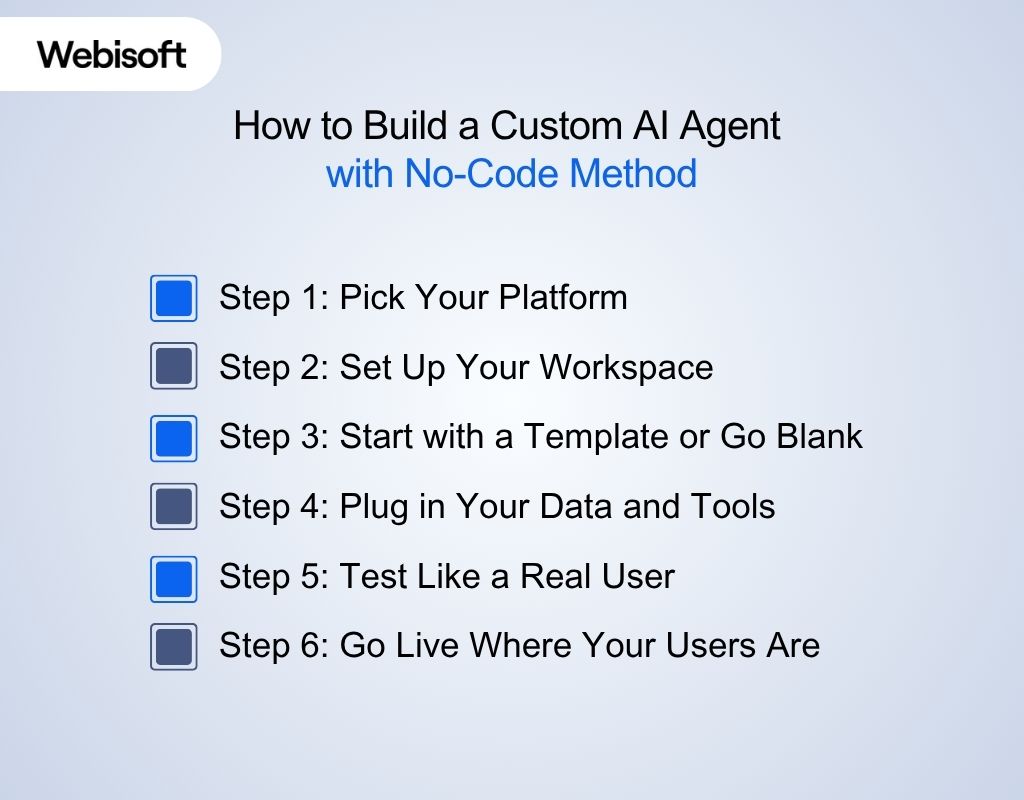
Here’s a guide on how to build a custom AI agent for free with a no-code method, mostly suitable for beginners:
Step 1: Pick Your Platform
Choosing the right platform is the foundation. The best tool depends on your goals and how you like to work. The platforms are:
| Platform | Best For | Why Choose It |
| Botpress | Website chatbots, support agents | Visual flow editor, easy integrations |
| Landbot | Conversational landing pages | User-friendly, great for lead capture |
| Zapier | Workflow automation | Connects hundreds of business tools |
| Make | Complex automations | Handles multi-step, advanced workflows |
| Glide | Mobile app agents | Turns spreadsheets into mobile apps |
| Bubble | Web apps with AI features | Customizable, lots of plugins |
Step 2: Set Up Your Workspace
Every no-code platform has its own dashboard or “workspace” area. That’s where the builder will manage your agent, build flows, and connect integrations.
A clear workspace keeps you organized and focused. Here’s how to set your workspace:
- Sign up and start a new project.
- Name your agent for its main job (“Support Bot,” “Order Helper”).
- Walk through the setup prompts to get your workspace ready.
Step 3: Start with a Template or Go Blank
Templates can save a ton of time, but building from scratch gives full control. You can choose what fits your workflow best and let the builder handle the rest:
How to Find and Use a Template
- After logging into the chosen platform, look for a section labeled “Templates,” “Starter Kits,” or “Pre-Built Bots.”
- Browse the available templates. Most platforms organize these by use case, such as support, booking, lead capture, and more.
- When the builder finds one that fits your needs, they will select it and load it into the workspace.
- Edit the template’s content: Change messages, update images, swap out links, and adjust any automated actions so everything fits your brand and process.
- Save the changes. Your agent is now ready to test.
How to Build from Scratch with a Blank Project
- On the platform’s main dashboard, choose “Create New” or “Start from Scratch.” This usually appears next to the templates option.
- Name the project and define its main purpose so you stay organized.
- Begin adding steps or blocks. These blocks are found in the library or menu of pre-built action blocks (like “Send Message,” “Ask Question,” “Show Image,” “Forward,” or “Connect to API”) right inside the platform’s visual editor.
- To add an action, the builder needs to drag the block from the sidebar onto the workspace or canvas.
- Build out the conversation or workflow step by step:
- Add a welcome message or opening question.
- Set up user responses and connect them to the next steps.
- Insert actions like sending emails, updating a database, or connecting to an API.
- Test each step as you go. Most platforms let you preview the flow and see how users will interact.
- Once your flow works as intended, save and move on to test.
Step 4: Plug in Your Data and Tools
Your agent is only as smart as the data and tools it can access. Connecting these makes your agent truly useful.
- Connect to business apps (Google Sheets, CRM, email) with built-in connectors.
- Import needed data, like product lists or FAQs.
- Test connections to make sure your agent pulls the right info.
Step 5: Test Like a Real User
Testing isn’t just about finding bugs, it’s about making sure your agent feels helpful and natural.
- Try every possible interaction, not just the easy ones.
- Ask unexpected questions or take wrong turns to see how the agent responds.
- Adjust responses and logic where things don’t flow well.
Step 6: Go Live Where Your Users Are
Deployment is more than a technical step. The agent builder will make your AI agent available where your users already spend their time.
- They’ll pick your deployment channel, such as websites, apps, WhatsApp, Slack, etc.
- Follow the platform’s steps to publish your agent.
- Announce the new agent so your team or customers know it’s ready.
How to Build a Custom AI Agent: Full-Code Method
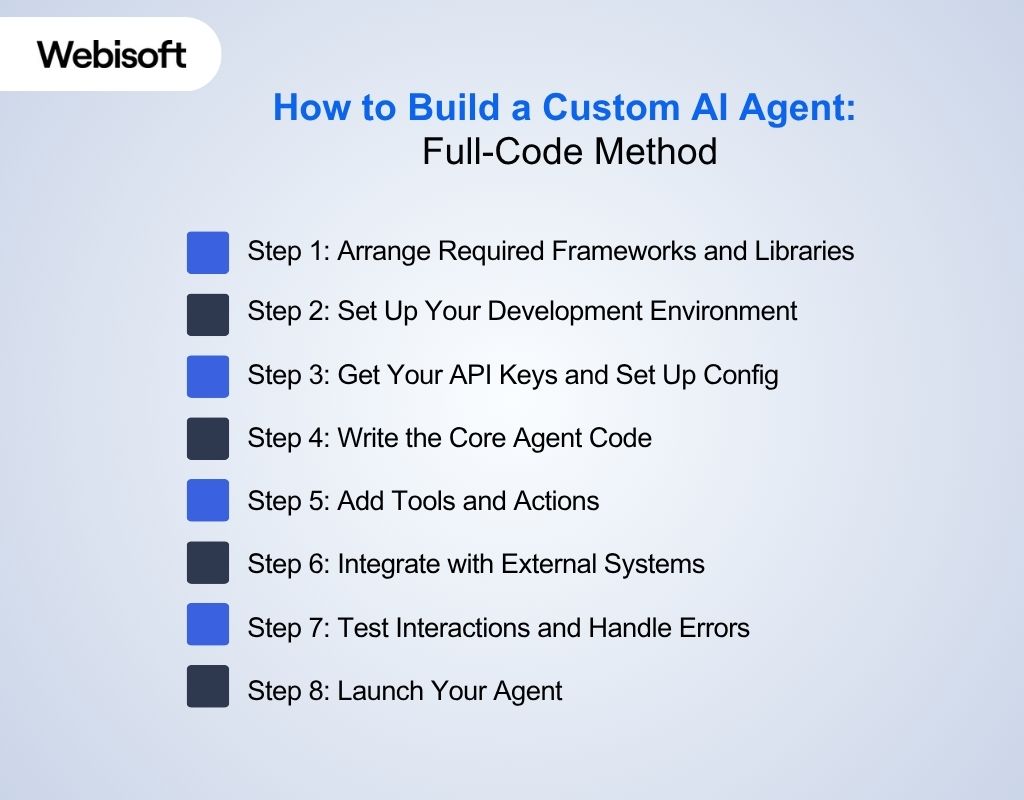
Another method is building an AI agent with coding. Here’s the step-by-step guide on how to build a custom AI agent from scratch:
Step 1: Arrange Required Frameworks and Libraries
First, the builder will choose libraries that are well-supported and match your agent’s needs. Here’s a table listing required tools and frameworks for building a custom AI agent with code, along with when to use each one:
| Use Case | Recommended Tool/Framework/Library | When to Use It |
| Language Models | OpenAI, Hugging Face Transformers, Google Vertex AI | Building agents that understand, generate, or summarize language |
| Workflow & Orchestration | LangChain, Haystack, custom Python scripts | Managing conversation flow, reasoning, memory, and connecting multiple tools |
| Cloud Launch & Scaling | Google Cloud, AWS, Azure | Launching, hosting, and scaling your agent in the cloud |
| Deep Learning | TensorFlow, PyTorch | Training, tuning, and rolling out custom deep learning models |
| NLP Tasks | spaCy, Hugging Face Transformers | Handling entity recognition, text parsing, or language understanding |
| Classic Machine Learning | scikit-learn | Applying regression, classification, clustering, and feature engineering |
| Containerization | Docker | Packaging and running your agent in any environment, cloud or on-premises |
| Development Tools | VS Code, PyCharm, Jupyter | Writing, testing, and debugging your agent’s code |
| Package Management | pip, conda | Installing and managing Python libraries and dependencies |
Step 2: Set Up Your Development Environment
Just like the no-code method, the builder needs to set up the work environment. Here’s what to do:
- Install Python (latest version recommended)
- Pick an IDE like VS Code, PyCharm, or Jupyter.
- Create a virtual environment to isolate the project’s dependencies.
python -m venv agent-env
This command creates a folder named agent-env containing an isolated Python environment.
- Activate the Virtual Environment
On macOS/Linux:
source agent-env/bin/activate
On windows:
agent-env\Scripts\activate
- Install Required Libraries Start by installing key packages using pip:
pip install openai python-dotenv requests
This ensures all dependencies are isolated to your project.
Step 3: Get Your API Keys and Set Up Config
Your agent will likely use an LLM (like OpenAI or Anthropic).
- Sign up for the API (e.g., OpenAI).
- Copy the API key and save it in a .env file:
OPENAI_API_KEY=sk-xxxxxx
- In the code, the builder will load this key securely using dotenv.
Step 4: Write the Core Agent Code
Now it’s time to write the actual logic that powers your custom AI agent.
1. Create a main Python file Create a file called main.py — this will hold your core agent logic.
2. Import Required Libraries At the top of main.py, add:
import openai
import os
from dotenv import load_dotenv
3. Load Your API Key from the .env File
load_dotenv()
openai.api_key = os.getenv(“OPENAI_API_KEY”)
This securely loads your API key from the environment file you created earlier.
4. Define the Agent Function. This function sends a user message to the language model and returns its response:
def ask_agent(message, model=”gpt-3.5-turbo”):
response = openai.ChatCompletion.create(
model=model,
messages=[{“role”: “user”, “content”: message}]
)
return response.choices[0].message[“content”]
- message: The user’s input.
- model: Specifies which OpenAI model to use (e.g., GPT-3.5 Turbo).
- The function returns the AI-generated reply as plain text.
5. Test the Agent At the bottom of your script, add:
print(ask_agent(“How can I reset my password?”))
Run your script. If everything is set up correctly, it should return a natural-language answer from the AI model.
This step lays the foundation for your agent’s interaction logic. You can expand on it by adding tool integrations, memory, or business-specific features.
Step 5: Add Tools and Actions
If it runs fine, it’s time to add other necessary tools and actions to your newly built custom AI agent. Make the agent useful by letting it do more than just chat:
- Write separate Python functions for each action, like searching the database or calling an API.
- Use the agent’s response to decide which function to run.
- Example: If the user asks for stock info, the agent calls your check_stock() function and returns the result.
Step 6: Integrate with External Systems
After adding the tools, the builder will connect the AI agent to your system. They connect it by sending a request through the library. Here’s how they do it:
To connect with external APIs (like weather, CRM, or any service):
- Use the requests library in Python to send HTTP requests. Example:
import requests
response = requests.get(“https://api.example.com/data”, params={“key”: “value”})
print(response.json())
This lets your agent fetch data, send updates, or trigger actions in other apps125.
- To interact with your own database:
Use libraries like sqlite3 for SQLite or SQLAlchemy for other databases.
Example:
python
import sqlite3
conn = sqlite3.connect(‘your_database.db’)
cursor = conn.cursor()
cursor.execute(“SELECT * FROM products WHERE id=1”)
result = cursor.fetchone()
conn.close()
print(result)
To save or fetch files:
- Use Python’s built-in file handling. Example:
with open(‘data.txt’, ‘r’) as file:
content = file.read()
print(content)
To make your agent available as an API for your system:
- Use a web framework like FastAPI to turn your agent into an API endpoint. Example:
from fastapi import FastAPI
app = FastAPI()
@app.post(“/ask”)
def ask_agent(question: str):
answer = your_agent_function(question)
return {“answer”: answer}
Step 7: Test Interactions and Handle Errors
Once the integration is complete, it’s time to test it and find the shortcomings for improvement. Here’s what to look for during testing:
- Try different user questions, unexpected inputs, and edge cases.
- Add error handling so the agent doesn’t crash on bad input or API failures.
- Print or log every step so you can see what’s happening under the hood.
Step 8: Launch Your Agent
The final step of how to build a custom AI agent is to officially launch your agent. Here are the steps a builder will follow for launching:
- Package the code with Docker to run it anywhere.
- Use cloud platforms (Google Cloud Functions, AWS Lambda, Azure) to launch and scale.
- For web or chat integration, connect the agent to a simple web server (Flask, FastAPI) or messaging platform.
- Add logging to track usage and spot problems.
- Regularly update your code and dependencies.
Advanced Features to Use with Your Custom AI Agents
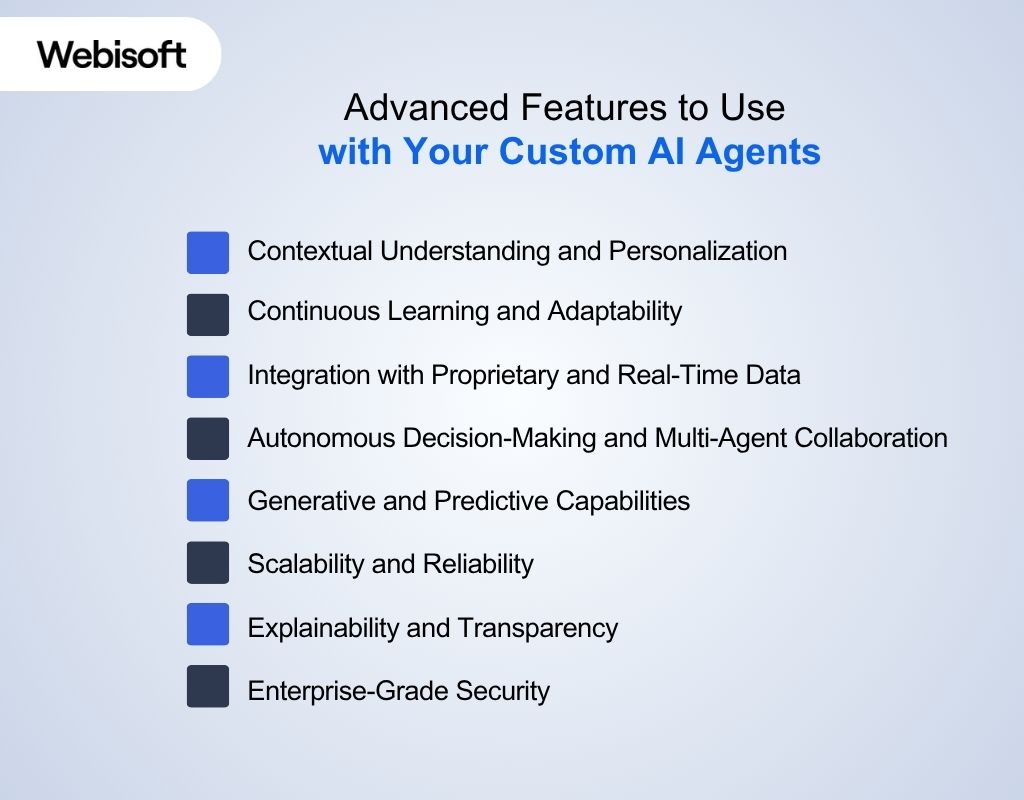
Staying ahead in today’s fast-moving market means using AI agents that do more than just automate simple tasks. Here are some advanced features for your AI agent:
1. Contextual Understanding and Personalization
Modern AI agents use language processing and context awareness to interpret what users mean, recognize mood, and remember past conversations.
It lets them give responses that match your brand’s style, adjust to each user’s habits, and handle subtle or complex requests smoothly.
2. Continuous Learning and Adaptability
These agents get better with every interaction. Through learning from new questions and feedback, they adjust to shifting business needs, fine-tune their suggestions, and spot new patterns.
3. Integration with Proprietary and Real-Time Data
Custom agents link directly to your business systems, such as CRMs, ERPs, or connected devices, through secure connections.
They can use up-to-the-minute information to answer questions, carry out tasks, and automate processes, making them a practical part of your daily operations.
4. Autonomous Decision-Making and Multi-Agent Collaboration
AI agents can review information, spot trends, and make choices on their own, without constant supervision. When several agents work together, they can split up complex jobs, share updates, and simplify work across teams, reducing manual effort and delays.
5. Generative and Predictive Capabilities
With these features, agents can create new content, such as text, reports, or summaries, and use past data to suggest what might happen next. It helps a business respond quickly, prepare for changes, and offer creative solutions.
6. Scalability and Reliability
Solutions built on flexible, cloud-ready systems can handle large numbers of users at once without slowing down.
It means your agent can support your company as it grows, keep up with busy periods, and deliver steady, high-quality help to everyone.
7. Explainability and Transparency
These agents provide clear reasons for their actions or replies, so you and your team can see how choices are made. This builds trust, helps meet industry rules, and lets you review and adjust how the agent works.
8. Enterprise-Grade Security
Strong encryption, safe connections, and compliance with privacy laws keep your information protected. These agents monitor for risks, control who can access data, and keep records of all actions, so your business stays safe and meets all necessary standards.
What are the Differences Between Custom vs. General AI Agents
Often people confuse custom AI agents with general ones. But a custom AI agent is a system built to handle specific tasks or solve unique problems for a business or organization.
It uses its own data, rules, and goals to deliver accurate actions or answers that fit those needs. Here’s a table that will make the concepts clearer:
| Feature | AI Agent | General-Purpose AI |
| Purpose | Built for your specific tasks and information | Made for many basic uses |
| Personalization | Matches your brand, voice, and details | Standard replies, little room for change |
| Integration | Connects with your tools and software | May not fit well with your setup |
| Growth | Can change and expand as your needs shift | Stays the same, not built for change |
| Performance | Focused on your needs, works with your data | Handles general tasks, may not fit special cases |
| Setup & Cost | More work at the start, but fewer issues down the road | Simple to start, but might need fixes or upgrades later |
| User Experience | Learns from your users; can improve with feedback | Fixed behavior, doesn’t change much |
| Skill Needed | May need help from experts (like Webisoft) | Easy for most people to get going |
When to Choose Custom AI Agent instead of General AI
You may now be wondering which is the right pick for your business. Here’s when you should go for a custom AI agent:
| Your Situation | Better Option | Reason |
| Want answers and actions that fit your business | AI Agent | Works with your brand and process |
| Need your agent to work with your tools | AI Agent | Connects with your setup |
| Tasks are not standard or are more involved | AI Agent | Handles details others can’t |
| Need something simple for common tasks | General AI | Quick and easy to put in place |
| Have a small team or limited tech skills | General AI | No special skills needed |
| Testing ideas or just starting out | General AI | Good for trying things out |
| Want your agent to grow as your business grows | AI Agent | Can change and adapt with you |
Limitations of AI Agents and How to Avoid Them
Even the smartest AI agents have their limits. Knowing where things can go wrong and how to prevent them will help the builder build a reliable solution. Some common limitations are:
1. Overfitting
When an AI agent memorizes the training data, including noise and outliers, it may perform well during testing but struggle with new, real-world data. This limits its ability to handle unfamiliar scenarios and reduces overall reliability.
How to avoid: Use more diverse data, apply regularization, and validate with separate test sets.
2. Underfitting
If your agent is too simple or the model doesn’t capture the real patterns in your data, it will perform poorly on both training and new inputs. This means it misses important relationships and delivers weak results.
How to avoid: Choose more flexible models, add relevant features, and tune model parameters.
3. Data Leakage
When information from outside the training dataset slips into the model-building process, it can make your agent look great during training but fail in real use. This happens if test data or future information is accidentally included.
How to avoid: Strictly separate training and test data, and review data pipelines for leaks.
4. Integration Challenges and Vendor Lock-In
Connecting AI agents to existing systems can be complex, especially if platforms use proprietary formats or restrict data access. Vendor lock-in makes it hard to switch providers or scale up.
How to avoid: Choose solutions with open APIs, standard data formats, and clear export options.
5. Security Vulnerabilities and Privacy Risks
AI agents often handle sensitive data, making them targets for attacks or leaks. Weak access controls or poor encryption can expose business or customer information.
How to avoid: Use strong encryption, limit access, follow privacy laws, and audit agent actions regularly.
6. Unrealistic Expectations and Scope Creep
Expecting AI agents to solve every problem or handle tasks beyond their design leads to disappointment and wasted resources. Expanding the project’s scope without clear goals can derail progress.
How to avoid: Set clear, achievable objectives, communicate limits to stakeholders, and review progress regularly.
Who Should Invest in a Custom AI Agent?
If you’re a business owner or decision-maker facing challenges that off-the-shelf AI tools can’t solve, a custom AI agent built by experts is the right move. Here’s when you should consider a custom AI agent builder:
Have unique workflows or industry-specific needs
Want seamless integration with your systems
Your business relies on CRMs, ERPs, databases, or proprietary platforms. Custom AI agents can be built to connect directly with your existing infrastructure for smooth automation.
Require advanced features or domain expertise
Your use case demands more than basic automation, like predictive analytics, retrieval-augmented generation, or secure handling of sensitive data. Expert builders can design solutions that go beyond generic capabilities.
Need full control over data and compliance
Data privacy, security, and regulatory compliance are top priorities. A custom AI agent gives you ownership over how data is handled and processed, unlike most SaaS AI tools.
Want ongoing support and continuous improvement
A professional AI development partner doesn’t just build and leave; they maintain, optimize, and update your agent as your business grows and changes.
Looking for measurable ROI and business impact
Custom agents are designed to align with your KPIs and deliver real, trackable results, whether it’s increased efficiency, better customer experience, or new revenue streams.
How Webisoft Can Help You with Building a Custom AI Agent
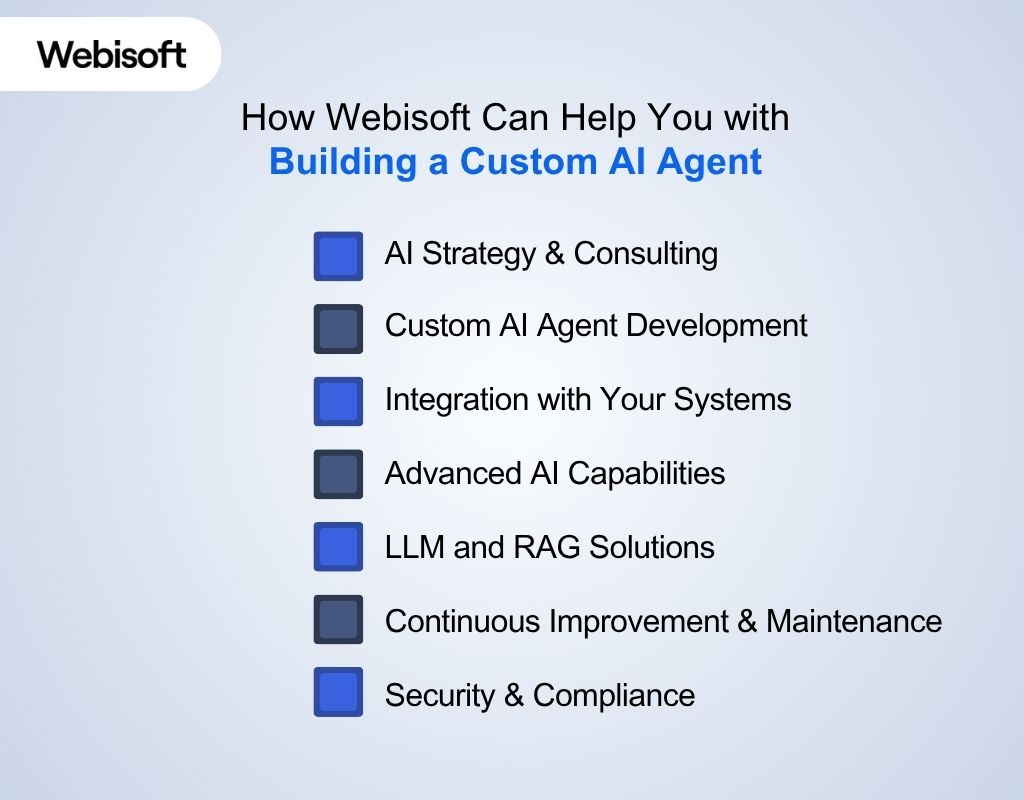
Building a custom AI agent is more than just writing code; it’s about designing a solution that fits your business, integrates with your systems, and keeps delivering value as your needs evolve.
Webisoft offers a professional service of AI technologies to help you achieve a custom AI agent, from strategy to support. Here’s why Webisoft is the best AI agent builder for you:
AI Strategy & Consulting
- Assess your business needs, identify AI opportunities, and create a custom roadmap for agent development.
- Recommend the right AI agent type, technology stack, and integration approach for your goals.
Custom AI Agent Development
- Build intelligent agents designed specifically for your workflows, industry, and data.
- Develop a wide range of agents: virtual assistants, automation bots, decision-support agents, and more.
Integration with Your Systems
- Seamlessly connect AI agents to your existing software (CRM, ERP, databases, IoT) using APIs, connectors, or plugins.
- Make sure smooth data flow and collaboration between your agent and current business tools.
Advanced AI Capabilities
- Implement agents with contextual understanding, multi-modal input (text, voice, image), and real-time data access.
- Enable features like document search, predictive analytics, and generative AI for richer business insights.
LLM and RAG Solutions
- Fine-tune large language models (LLMs) for your domain, or build retrieval-augmented generation (RAG) chatbots for accurate, up-to-date answers.
Continuous Improvement & Maintenance
- Monitor agent performance, provide regular updates, and fine-tune models to keep your solution efficient and relevant.
- Offer ongoing troubleshooting, optimization, and scaling support as your business grows.
Security & Compliance
- Apply strong encryption and privacy controls to protect your data and meet industry regulations (GDPR, HIPAA, etc.).
- Audit and monitor agent actions for transparency and accountability.
Conclusion
Learning how to build a custom AI agent means defining your goals, selecting the right tools, and ensuring seamless integration into your business.
Whether you prefer no-code simplicity or advanced coding, the process requires careful planning and ongoing optimization.
For expert support at every stage of building a custom AI agent, connect with Webisoft and turn your vision into a high-impact solution. Book your quote today!
FAQs
Here are some common questions people ask regarding how to build a custom AI agent:
Can I build a custom AI agent without technical skills?
Yes. No-code platforms let you create AI agents using visual editors and templates, so you don’t need programming experience to build, customize, or launch your own agent.
How do I keep my agent secure and compliant?
Use strong encryption, set clear access controls, follow privacy laws, and monitor agent activity. Regularly update security settings and choose platforms that offer compliance tools and audit logs.
What are the ongoing costs and maintenance needs?
Expect costs for cloud hosting, API usage, updates, and retraining. Regular monitoring and improvements are needed to keep your agent accurate, secure, and aligned with business changes.
