Nowadays, more than two-thirds of customers now prefer solving problems on their own rather than contacting support. As demand rises, 24/7 self-service is no longer optional, it's expected.
So, what is a self-service app? A self-service app is a digital tool that allows users to complete tasks, access information, and resolve issues without help from a human representative. These tools include knowledge bases, chatbots, portals, and automation features integrated into mobile or web platforms.
In this guide, you'll learn how self-service apps work, which features matter, and how they help businesses reduce support load, cut costs, and deliver faster, more efficient service.
What is a Self-Service App?
A self-service app is a digital interface that lets users, whether employees or customers, complete tasks, access services, or get answers without contacting support. These apps are designed to automate routine functions through a user-friendly interface available 24/7 on mobile or desktop.
Self-service apps are used across business functions: HR, IT, finance, customer support, and more. Whether it's employees updating their tax forms or customers tracking a delivery, these tools replace manual, ticket-based processes with fast, independent action.
If you're planning to build a self-service portal or custom software for your company, feel free to reach out to Webisoft.
Core Features of a Self-Service App
The best self-service apps prioritize speed, autonomy, and seamless integration. Whether designed for customers or employees, these apps generally share five essential features:
1. 24/7 Access: Users can perform routine tasks anytime, view account details, manage orders, submit requests, without waiting for support teams or operating hours.
2. AI-Powered Chatbots: Instant help for common questions. Smart bots simulate live conversations, guide users through fixes, and pass complex issues to human agents when necessary.
3. Integrated Knowledge Base: FAQs, help articles, videos, and troubleshooting content are built in. This empowers users to find accurate answers fast, cutting down on ticket volume.
4. Secure Profile & Account Management: Users can update contact info, reset passwords, or manage settings securely. Strong authentication and encryption help protect sensitive data.
5. Ticketing and Service Requests: For tasks that go beyond self-resolution, users can open and track service requests from within the app, eliminating confusion and follow-up delays.
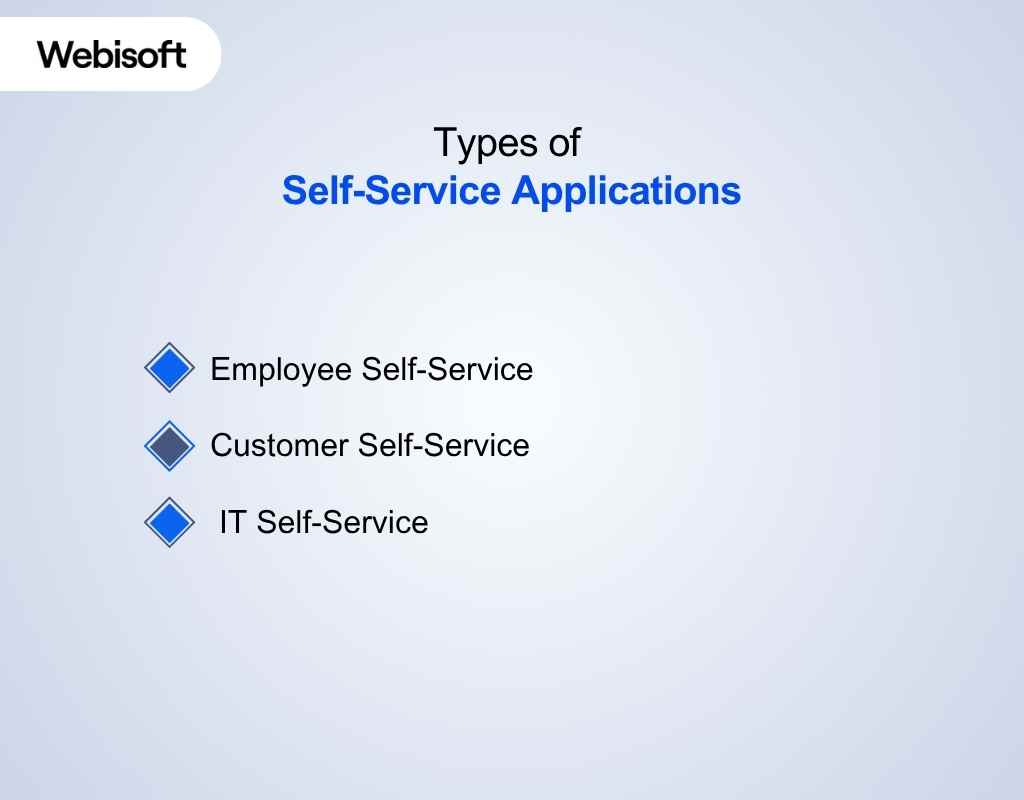
Types of Self-Service Applications
Not all self-service apps are built for the same audience. If you're evaluating whether your company needs one, it helps to know the main categories and what problems each type solves.
Here are the three most common types you'll come across:
1. Employee Self-Service (ESS)f
Handling HR tasks through email or spreadsheets gets messy fast. ESS apps give your team direct access to their profiles, pay stubs, tax forms, leave requests, and benefit details, without asking HR for every update.
Common tasks handled:
- Requesting and tracking time off
- Viewing payslips or updating bank info
- Managing benefits enrollment
- Submitting reimbursements or travel requests
2. Customer Self-Service (CSS)
Ever clicked "track my order" instead of calling support? That's CSS in action. These custom self service apps let your customers find answers, manage accounts, and solve common issues on their own, anytime.
Key features often include:
- Searchable help centers or knowledge bases
- Chatbots for basic queries
- Portals for billing, subscriptions, and order tracking
- Case status updates without agent help
3. IT Self-Service
When internal tech issues pile up, IT teams get overwhelmed. With an IT self-service portal, employees can log incidents, access how-to guides, and even fix simple problems without waiting.
These apps typically support:
- Logging tickets for tech issues
- Accessing device or software documentation
- Downloading pre-approved apps
- Resetting passwords or configuring tools
Thinking about which type is right for your company, or whether you need a hybrid version? Reach out to Webisoft for a quick consultation.
Benefits of Implementing Self-Service Apps
If your support team is overloaded or customers keep asking the same basic questions, it's a sign your business needs a better way to handle routine requests.
That's why you should implement self-service in your system. Instead of waiting for help, users get what they need right away.
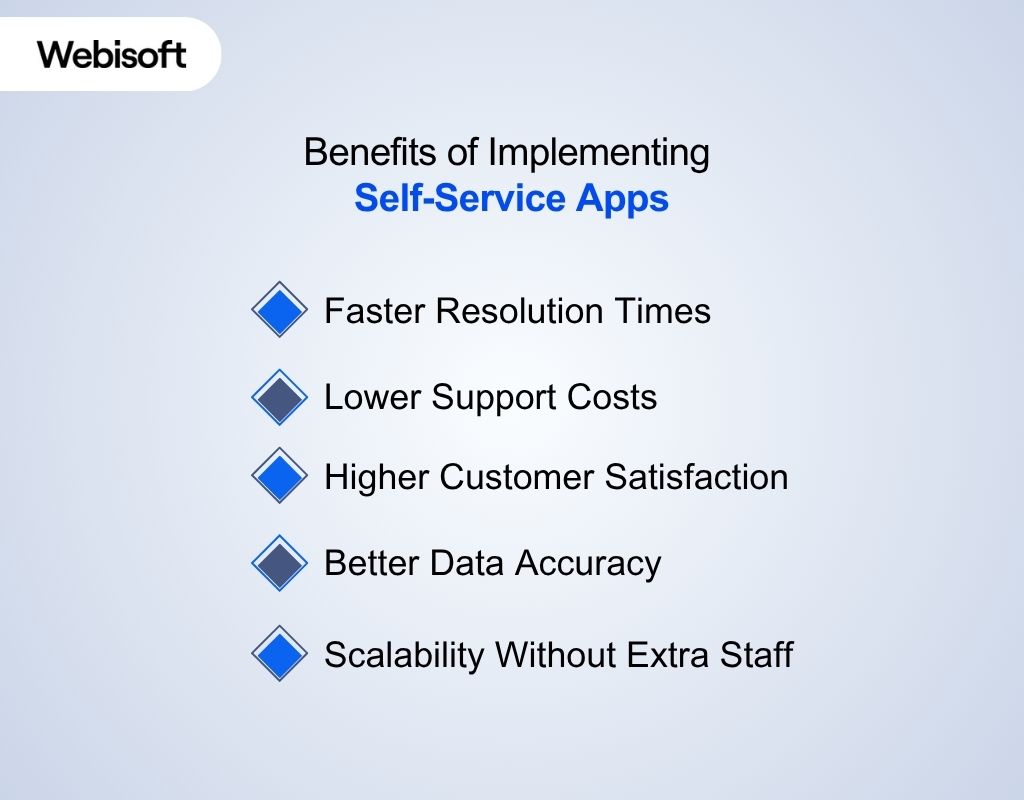
Here are five benefits companies consistently see:
1. Faster Resolution Times
No one likes to wait. Self-service apps give users instant access to FAQs, orders, settings, and support without needing an extra hand. This shortens resolution times dramatically, increases operational efficiency, and keeps satisfaction high.
2. Lower Support Costs
Every ticket that doesn't reach your team saves time and money. With automation and self-help tools handling common issues, companies reduce the size of their frontline support without hurting service quality.
3. Higher Customer Satisfaction
When people can solve problems on their own, on the first try, they're more likely to stick with you. In fact, 67% of customers say they prefer self-service over speaking to an agent.
4. Better Data Accuracy
When employees or customers update their own information, like addresses, payment details, or contact preferences, it reduces manual errors and helps keep your systems clean and reliable.
5. Scalability Without Extra Staff
As your business grows, so does the volume of support requests. A well-built self-service app handles that growth without requiring you to constantly expand your team.
How to Implement a Self-Service App: 6 Easy Steps
Building a self-service app isn't just about adding new software. It's about making life easier for your users and your team. Here's how to do it right.
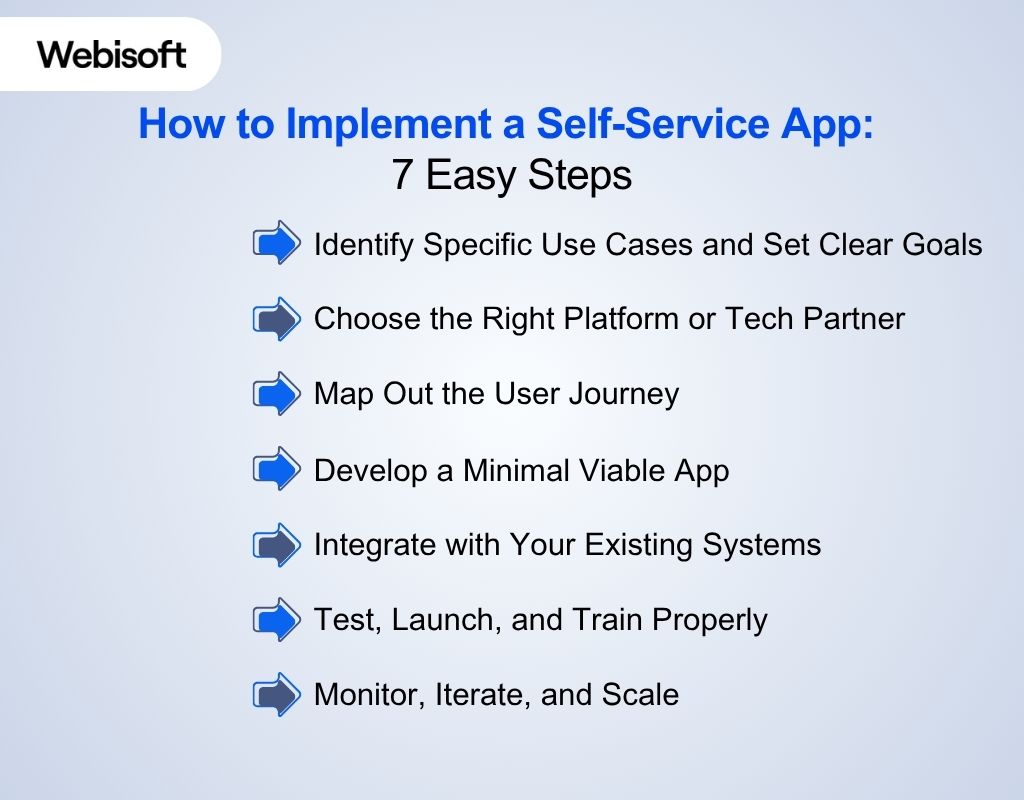
1. Identify Specific Use Cases and Set Clear Goals
Before you do anything technical, zoom in on the problem.
- Are employees overwhelmed with repetitive HR forms?
- Do customers keep asking the same questions your team already answered 100 times?
- Is IT support flooded with password reset requests?
Nail down the core workflow you want to automate first. Don't start wide, start focused. Once you've found your top 1, 2 use cases, define specific goals like:
- 30% fewer email tickets within 60 days
- Reducing onboarding time from 5 days to 2
- Giving customers 24/7 access to account info
These goals will guide every decision that follows.
2. Choose the Right Platform or Tech Partner
You'll need a platform that matches your business needs, can scale over time, and integrates smoothly with tools like your CRM or analytics dashboard.
Whether you're building from scratch or extending your product, pick a self service developer platform that:
- Supports modular builds (for both customer and internal apps)
- Offers excellent APIs for seamless integration
- Supports role-based access and workflows
- Is customizable based on your UX/UI requirements
If you're leaning to custom, it's smart to work with a product development team like Webisoft. We specialize in building self-service tools that fit your business, not the other way around.
Tip: Make sure whatever you choose works well with your CRM, analytics tools, or internal systems.
3. Map Out the User Journey
This step is where the real user experience takes shape.
Start with simple questions:
- What's the first screen users see?
- How many taps does it take to update a profile or submit a ticket?
- Is the search bar easy to find?
Then, sketch out the journey from entry to exit. Break it down:
- Step 1: User logs in
- Step 2: Sees relevant options based on role (customer, employee, admin)
- Step 3: Chooses task (e.g., view payslip or reset password)
- Step 4: Completes action in 2, 3 taps
Keep it lean. Don't bury tasks behind dropdowns or tech terms. Clarity always beats cleverness.
4. Develop a Minimal Viable App (MVP)
Instead of trying to launch everything at once, start with the essential features your users need most, like ticket tracking or leave requests. This reduces dev time and lets you test the experience with real users before scaling.
5. Integrate with Your Existing Systems
Your self-service app won't work in a vacuum.
It must sync with:
- CRM (so customer updates reflect instantly)
- HR systems (for leave balances, personal info)
- Ticketing tools (for auto-routing issues)
- Email or calendar tools (for confirmation and reminders)
Failing to integrate properly leads to broken workflows and frustrated users. Before development, gather your tech stack details and confirm:
- API availability
- Security protocols
- Real-time sync vs. batch updates
- User permission mapping
It's way easier to plan integrations now than to fix them later.
6. Test, Launch, and Train Properly
You don't get a second chance at a first impression. Test it thoroughly before rollout.
- Start with a small user group: Let a sample group of employees or customers try it first.
- Collect feedback fast: Ask them what feels confusing.
- Fix, then release wider: Address key issues and polish UX.
When launching:
- Provide a short video or guide walking users through common actions.
- Create in-app tips and reminders to guide behavior.
- Offer support, real people behind the tool help build trust.
And don't skip internal training. Your team needs to know how the app works so they can support others.
7. Monitor, Iterate, and Scale
Once your app is live, don't let it sit idle.
Track these metrics from day one:
- Completion rate of key tasks
- Drop-off points
- Time saved per transaction
- Support ticket deflection
Regularly ask users what's missing or what could be easier. Use what you learn to:
- Simplify common flows
- Add new features for growing needs
- Expand access to more teams or use cases
Your app isn't "done", it's just getting started. A well-maintained self-service system can keep evolving with your business.
Self Service Real-World Examples and Case Studies
Seeing how other businesses use self-service apps can give you a clearer picture of what's possible, and what actually works. Here are four detailed examples you can learn from using smart self-service tools.
After each case, we'll break down what your business can take away from it.
1. Carsales with Zendesk: Turning 700+ Help Articles into 30:1 Case Deflection
Carsales, Australia's largest online vehicle marketplace, was overwhelmed by support queries across its growing family of brands.
Rather than scaling their support team, they built seven branded help centers using Zendesk. These centers featured more than 700 articles, helping users solve problems themselves without contacting support.
In just one year, Carsales achieved a 30:1 self-service ratio, meaning for every 30 users who found an answer themselves, only 1 submitted a support request. That's a massive lift in efficiency and customer satisfaction.
What you can take from this: If your company serves multiple customer segments, consider creating dedicated self-help spaces for each one. And don't just dump FAQs, structure content around real customer questions.
2. Bridgestone with Freshdesk: Cutting Ticket Aging by 97%
Bridgestone, the global tire giant, needed to simplify how support tickets were managed across channels.
They used Freshdesk to centralize operations and build a robust knowledge base. Agents could now respond faster, and customers had an easy way to find solutions on their own.
The result? A 97% reduction in ticket aging, meaning issues were resolved almost as soon as they were raised.
What you can take from this: If your team is drowning in email threads or manually logging support calls, a good self-service app can cut the noise. Start by automating ticket creation and build a help center that reduces redundant questions.
3. HubSpot Using HubSpot Service Hub and Saved $2.3M Annually
Before 2019, HubSpot's support team relied on Salesforce and BoldChat.
While effective for email and phone, those tools didn't align with how today's customers prefer to get help. Live chat was missing, and support wasn't integrated with sales.
That changed when HubSpot launched Service Hub and adopted it internally. The switch lets support agents handle multiple chat conversations at once, sync with sales in real-time, and tap into shared CRM data. Over time, the team achieved:
- $2.3 million in annual headcount savings
- 1.6x increase in productivity
- $38 million in recurring revenue passed to sales since 2019
According to VP of Global Support David Hunt, this wasn't just about efficiency. It created a loop: fast support → better retention → more qualified leads → higher revenue.
What you can take from this: If your company still treats support and sales as separate silos, HubSpot's story shows what you're leaving on the table. A well-integrated self-service and live chat system can drive growth.
Challenges and Considerations When Building a Self-Service App
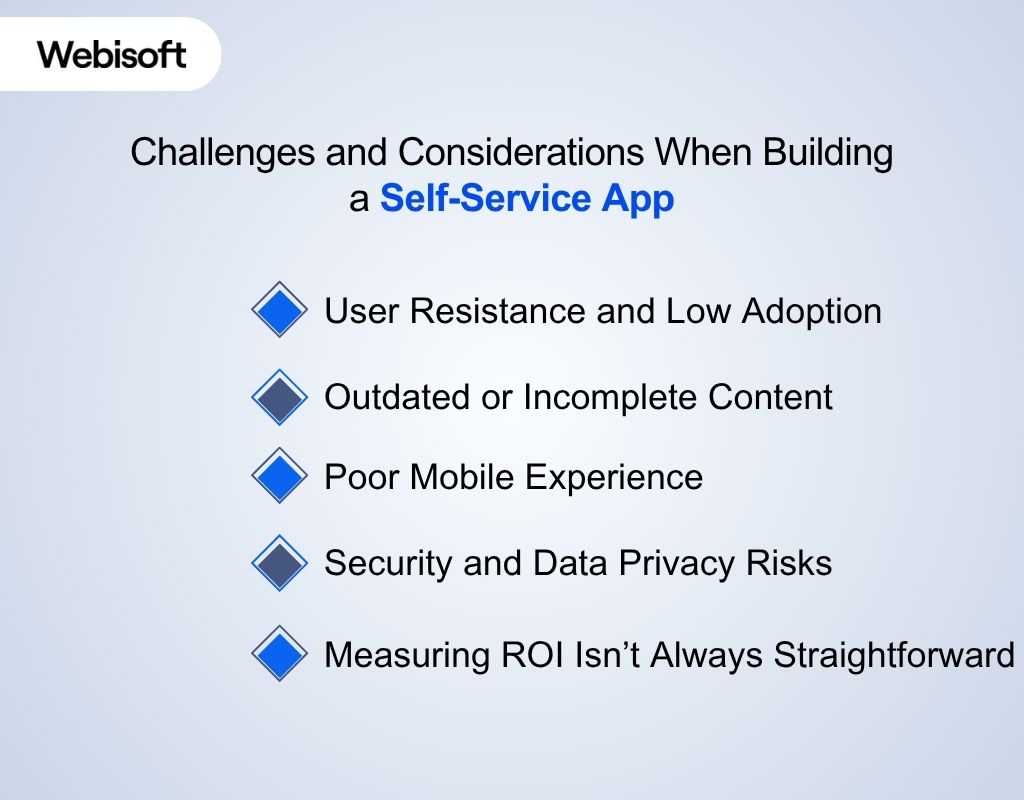
A well-built self-service app can improve efficiency, save costs, and keep users happy. But getting there isn't always smooth. Here are the most common hurdles you'll need to prepare for, and how to work through them.
1. User Resistance and Low Adoption
People don't always jump at the chance to change how they work or get help. Some may be used to email or phone support. Others just don't trust the system yet.
What you can do:
- Roll out the app in phases, starting with the most common tasks.
- Educate users with simple how-to content and clear benefit messaging.
- Highlight small wins, "3 minutes to request time off instead of 2 days via email."
Without internal buy-in, even the best-built tool can sit unused.
2. Outdated or Incomplete Content
Self-service apps rely on accurate information. If your knowledge base or portal content is outdated, users will either get frustrated or abandon the tool altogether.
Checklist to stay ahead:
- Assign clear ownership for updating content.
- Set monthly review cycles for key documents or guides.
- Let users flag outdated or confusing articles for quick revision.
Keeping content fresh isn't glamorous, but it's the difference between trust and churn.
3. Poor Mobile Experience
Many users will access your self-service app from their phone. If it's slow, cluttered, or doesn't load properly, they won't return.
What to optimize:
- Touch targets (buttons, links) that are easy to tap.
- Form fields and dropdowns that work well on smaller screens.
- Fast-loading pages and offline capabilities if possible.
Test it yourself: try completing a common task on your phone with one hand. If it's frustrating, it needs work.
4. Security and Data Privacy Risks
A self-service app often handles sensitive personal or company data. That comes with serious responsibility, especially if you operate in regions with strict data laws (like GDPR or CCPA).
What to prioritize:
- End-to-end encryption for data in transit and at rest.
- Role-based access to restrict sensitive features.
- Transparent privacy policies and consent options.
5. Measuring ROI Isn't Always Straightforward
You can't improve what you don't measure. But ROI from a self-service app isn't always obvious, especially early on.
Track metrics like:
- Time saved per task
- Reduction in support tickets
- User satisfaction scores (CSAT)
- Feature adoption rates
If your team is spending less time on repetitive tasks, and users are completing things faster, you're moving in the right direction.
Conclusion
To sum up, what is a self-service app? It's your company's digital front desk, built to let users help themselves, efficiently and securely.
And you've seen how self-service apps help companies save time, cut costs, and improve user satisfaction. From HR portals to customer chat tools, the shift is already happening.
So, if you're planning to build one for your business, whether it's for internal workflows or customer-facing tools, Webisoft can help.