Building Generative AI for a business isn’t about selecting a model or writing a few prompts. It’s a structured process that combines data readiness, system design, safety controls, and long-term governance. Understanding how to build Generative AI means understanding how these pieces come together to create a system that works reliably in real operations.
You may be exploring ways to reduce manual effort, improve decision-making, or scale support and knowledge access without increasing headcount. At the same time, you may be unsure where to start, what actually matters, and which decisions will affect cost, risk, and performance later.
That uncertainty is common. Many businesses struggle because most guides focus on tools or code, not on execution. With Webisoft, you can understand the building process from start to finish in comprehensive steps. Keep reading to find out!
What Is Generative AI and Why Businesses Build It
Generative AI is a system that creates new outputs such as text, summaries, recommendations, or responses by learning patterns from large datasets.
It doesn’t search a database for fixed answers. Instead, it produces context-aware results based on how it was designed, trained, and connected to your data and tools.
Businesses build Generative AI because it reduces manual effort in areas that slow teams down. Customer support, internal knowledge access, content workflows, and decision support all benefit when the system is designed correctly.
When delivered through professional Generative AI development services, it becomes a controlled business asset tied to efficiency, scale, and measurable operational returns, not hype or experimentation.
Key Foundations Required to Build a Generative AI
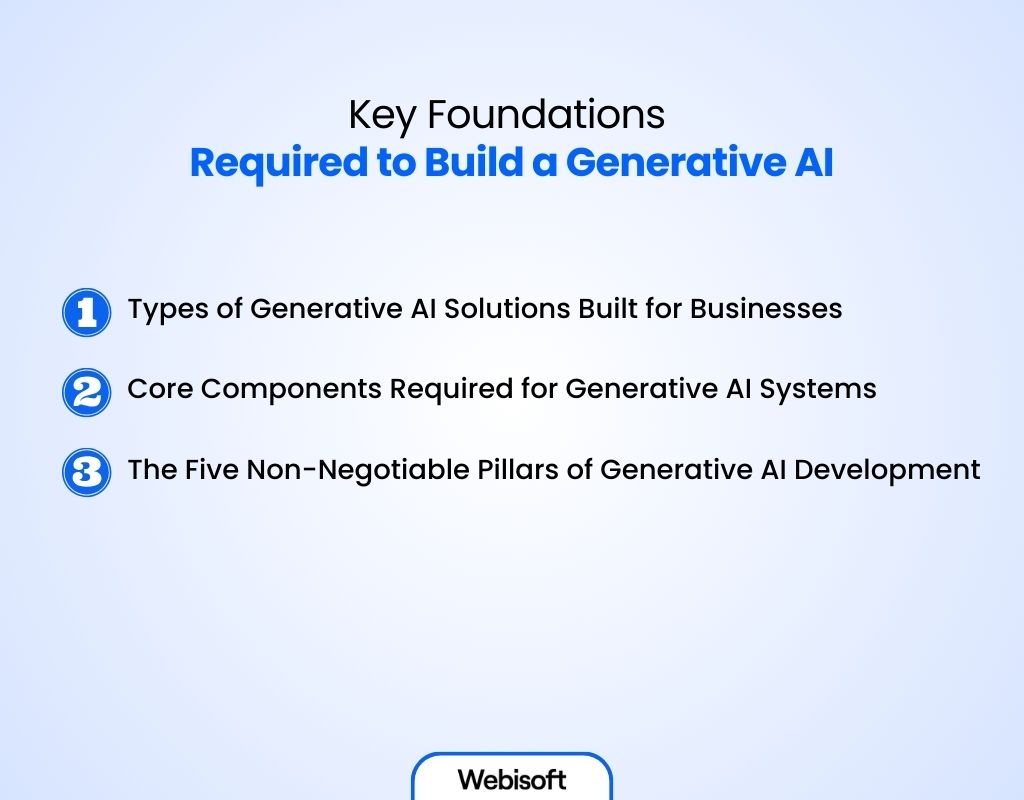
Before anything is built, businesses need a clear vision of what sits underneath a Generative AI system. The foundations determine whether the system becomes an asset or a liability.
Types of Generative AI Solutions Built for Businesses
In practice, business solutions fall into distinct categories, each with different risks and value:
- Task-focused systems that automate support, reporting, or internal requests
- Knowledge-driven systems that reason over company documents, policies, and data
- Assistive systems that support employees with drafting, analysis, or decision context
Each type demands different accuracy levels, access controls, and oversight, which is why solution design must align with business intent from day one.
Core Components Required for Generative AI Systems
When developers talk about core components, they mean the essential parts that make a GenAI system reliable, usable, and safe in a business setting.
These are not optional add-ons. Without them, the system may generate answers, but it will not work in real operations. A Generative AI system includes:
- Data access and control layers that define what information the system can use and what it must never touch
- Context and reasoning layers that help the model understand user intent, constraints, and business rules
- Model interaction layers where generation actually happens, governed by strict boundaries
- Safety and governance controls that prevent misuse, leakage, or unsafe outputs
- Monitoring and oversight mechanisms that track accuracy, cost, and system behavior over time
Together, these elements form the foundation of a stable Generative AI workflow built for business use, not experimentation.
The Five Non-Negotiable Pillars of Generative AI Development
Every output of a Generative AI has operational, legal, or reputational impact. These five pillars define whether the system can be trusted at scale or becomes a source of risk, such as:
- Data ownership and access control: The system must only use approved data and respect strict access rules across teams and roles.
- Output accuracy and consistency: Responses must remain reliable across users, scenarios, and time, especially when decisions depend on them.
- Security and regulatory alignment: The system must comply with internal policies and external regulations without exposing sensitive information.
- Scalability under real user load: Performance cannot degrade when adoption grows across departments.
- Governance and accountability over time: Clear ownership, auditability, and update processes keep the system aligned with business needs.
Common Methods Used to Build Generative AI Solutions
Generative AI methods describe how systems are delivered and operated, not the internal model architectures or techniques used within them.
When businesses decide to invest in Generative AI, the real decision isn’t about which model sounds impressive. It is about how much control the organization needs over data, behavior, cost, and long-term ownership.
Different build methods exist because no single approach works across all industries, risk profiles, or operating scales. Available methods for building Generative AI are:
- API-based model integration: Businesses rely on managed models while focusing on system logic, safeguards, and integration with existing workflows.
- Retrieval-augmented (RAG) systems: The model generates responses grounded in approved internal data, improving reliability and reducing misinformation risk.
- Fine-tuned domain models: Existing models are adapted to match business language, tone, and task requirements for consistent output.
- Custom-trained models: Models are built from the ground up when strict data ownership, scale, or specialization is required.
Why This Guide Doesn’t Include a Coding Method
This guide intentionally avoids coding instructions. Most businesses don’t benefit from DIY implementation. Coding details also vary widely based on data sensitivity, scale, and compliance needs.
Sharing generic code for building a GenAI may not create the ideal one your business needs. If you need to build the GenAI from scratch, you should leave the full building task at reliable and professional hands.
If you’re confused about which method is best for building your GenAI, consult with AI strategy experts at Webisoft.
How to Build Generative AI (A Step-by-Step Guide)
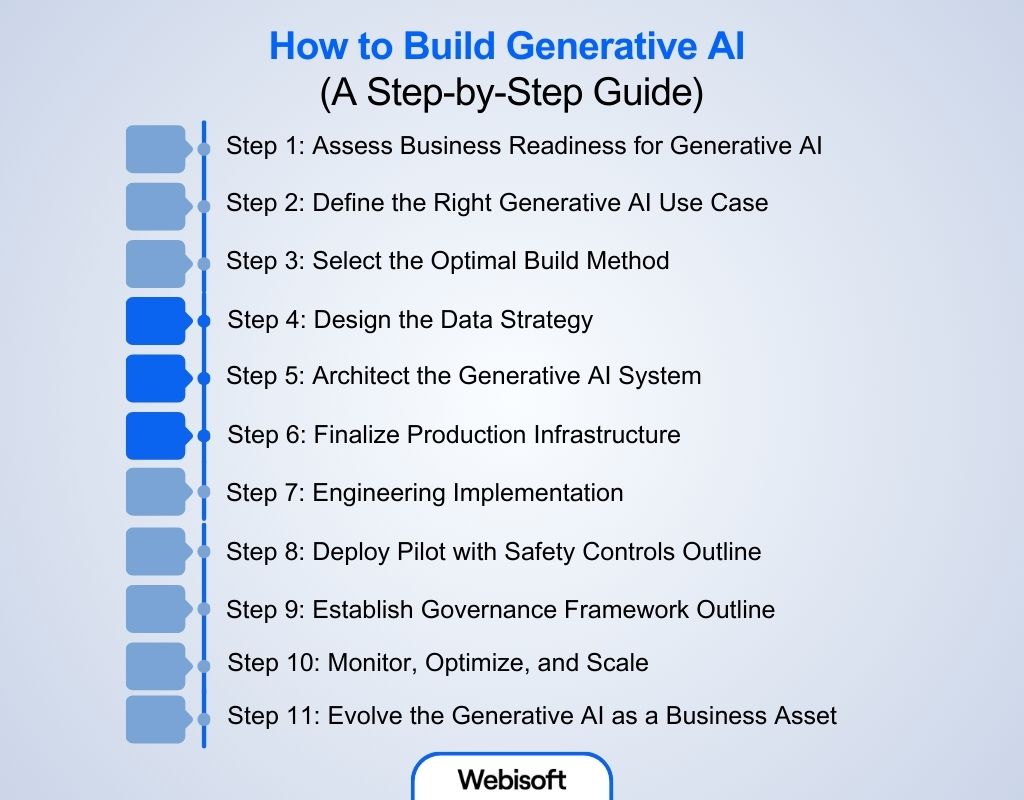
Building Generative AI for a business follows a real sequence. One step creates the conditions for the next. When that order is broken, systems fail later in production. Here is the step-by-step guide on how to build Generative AI through an experienced developer:
Step 1: Assess Business Readiness for Generative AI
Before any system design starts, the developer evaluates whether Generative AI can work in your environment and brings you your desired success. This step sets the ground rules for everything that follows, such as:
Validate Data Availability and Access
The first thing checked is data. Where it lives, how current it is, and who can access it. If documents are scattered, outdated, or locked behind inconsistent permissions, the system will generate weak or incorrect responses.
Align Business Goals, Constraints, and KPIs
Next, the developer connects your business goal to the system’s expected behavior. Faster support responses, reduced onboarding time, or fewer internal questions are translated into concrete outcomes.
At the same time, constraints are set. Accuracy thresholds, response limits, and refusal rules are defined early so the system doesn’t overstep later.
Identify Risk, Compliance, and Budget Boundaries
Finally, risk is mapped before development begins. This includes regulated data, brand exposure, audit requirements, and budget limits. At this point, Generative AI stops being an experiment and becomes a controlled initiative shaped by practical constraints.
Step 2: Define the Right Generative AI Use Case
Once readiness is confirmed, the developer focuses on selecting the right problem to solve. This step prevents building a system that delivers little value.
Select the Highest-Impact Business Problem
The builder looks for workflows where delay, repetition, or inconsistency creates daily friction. Support queues, internal knowledge access, and content review processes often surface first. The goal is to target a problem where Generative AI can remove effort, not just add intelligence.
Finalize Output Scope and Boundaries
After the problem is chosen, output behavior is tightly defined. The system is told what it can answer, what it must avoid, and when it should defer to a human. These boundaries protect accuracy and keep the system aligned with business expectations.
Define Success Metrics and Acceptance Criteria
Before building starts, success is defined in practical terms. Response accuracy, escalation rates, time saved, or resolution speed are agreed on upfront. This avoids subjective judgments after deployment.
Validate Scope Through a Proof of Concept
A limited proof validates the scope before full investment. This step confirms that the problem, data, and expectations are aligned. Many businesses searching how to build Generative AI for beginners are actually trying to avoid skipping this validation step.
Step 3: Select the Optimal Build Method
With the use case locked, the developer shifts focus to how the system should be built. This is where architectural decisions are made.
Choices around build methods determine data control, response speed, operating cost, and how much flexibility the system will have as it scales. Once this direction is set, it influences every technical decision that follows.
Match Build Method to Privacy, Latency, and Cost Constraints
The builder evaluates how sensitive the data is, how fast responses must be, and how usage will scale. A customer-facing system has very different requirements than an internal assistant. These constraints narrow the viable build options quickly.
Decide Your Optimal Build and Accuracy Strategy
This decision combines two things developers never separate: how the system is built and how it stays accurate. Instead of treating architecture and accuracy as independent choices, experienced teams evaluate them together. This prevents false assumptions, redesigns, and unstable behavior later.
| Business Need | Build Method | Accuracy Strategy | Why This Combination Is Correct |
|---|---|---|---|
| Fast launch with minimal setup | API-based integration | Retrieval | Quick deployment while grounding responses in approved, live data |
| Fast launch with consistent tone | API-based integration | Light fine-tuning | Predictable behavior without owning infrastructure |
| Private or frequently changing data | Retrieval-augmented system | Retrieval | Keeps responses tied to internal sources without retraining |
| Strong brand voice or domain logic | Fine-tuned domain model | Fine-tuning | Improves consistency for specific tasks and language |
| Large scale with strict ownership | Custom-trained model | Fine-tuning | Full control over behavior and specialization |
| Large scale with dynamic knowledge | Custom-trained model | Retrieval | Full ownership while keeping answers current |
Step 4: Design the Data Strategy
The next step of how to build Generative AI creates the production-ready foundation that powers Generative AI at scale. In Generative AI for enterprises, data quality and control decide whether the system stays reliable or quietly fails after launch.
Data Inventory and Quality Assessment
The builder begins by mapping every data source the system may use. This includes internal documents, databases, support tickets, policy repositories, collaboration tools, and approved external APIs.
Each source is reviewed for completeness, recency, format consistency, and sensitivity. Gaps are flagged early because retrieval and training break immediately when data is outdated. Data cleanup happens before engineering begins.
Access Control Framework
The developer defines who can see what through the system, based on role and data sensitivity. This is critical for retrieval-based systems, where answers depend on permission-aware access. Here is an example of data sensitivity and access model:
| Data Type | Sensitivity | Access Model | Compliance |
|---|---|---|---|
| Customer data | High | RBAC, encryption | GDPR |
| Internal documents | Medium | Department-based RBAC | SOC 2 |
| Public datasets | Low | API keys | None |
Preprocessing Pipeline Design
Raw data cannot be used directly. The developer designs how content is prepared before it reaches the model. Documents are broken into meaningful chunks that preserve context.
Noise such as headers, disclaimers, and duplicates are removed. Embedding models are selected based on domain relevance so retrieval remains precise and cost-efficient. This step directly affects accuracy, latency, and operating cost.
Data Freshness Strategy
Next, update frequency is aligned with how the business operates. Not all data needs real-time updates, but critical workflows often do. Such as:
| Use Case | Update Frequency | Implementation |
|---|---|---|
| Customer support | Real-time | Database triggers |
| Internal knowledge | Daily | Scheduled pipelines |
| Policy updates | Weekly | Versioned syncs |
These rules prevent the system from drifting into outdated responses over time.
Step 5: Architect the Generative AI System
The developer moves from planning into structural execution, laying out how the system will function in general. This phase of Generative AI system design defines how responses are generated, controlled, and delivered. Here’s the details of what a developer will do in this step:
System Topology Design
The builder starts by defining the system’s core components and how information flows between them. This includes the language model, data layer, safety controls, and the interface exposed to users.
Data flow is mapped end to end, from ingestion and processing to storage, retrieval, and response generation. At the end of this step, the output is a clear topology that shows how user input moves through the system and where controls are applied.
Architecture differs by method, such as:
- RAG systems: Data is embedded, stored in a vector database, retrieved at query time, and injected into model context before response generation in retrieval-augmented systems.
- Fine-tuned systems: Data is used during training, and responses come directly from the adapted model.
- API-based systems: Prompts are sent to a managed model, with guardrails applied before and after generation.
Technology Stack Selection
Once topology is clear, the developer selects the technologies that’ll support it in production. Each layer is chosen to match reliability, scale, and integration needs.
| Layer | RAG Approach | Fine-Tuning | API Integration |
|---|---|---|---|
| Vector database | Pinecone, Weaviate | Not required | Not required |
| Model hosting | Llama via vLLM | Hosted fine-tuned model | Provider-managed |
| Orchestration | LangChain, LlamaIndex | Custom pipelines | SDK-based |
| Embeddings | text-embedding-3-large | Domain-specific | Provider default |
The output here is a locked stack that avoids mismatched tools and unpredictable costs.
Integration Layer Design
Next, the system is wired into real business workflows. The developer connects collaboration tools, CRMs, ticketing systems, authentication, and document platforms so the AI operates where teams already work.
Safety and Guardrail Architecture
Safety is built into the system, not added later. The developer defines where content filters run, how sensitive data is detected, and when human escalation is required.
| Guardrail Type | Purpose | Implementation |
|---|---|---|
| Content filtering | Block unsafe outputs | Moderation models |
| PII detection | Prevent data leakage | NER-based scanners |
| Rate limiting | Control abuse and cost | API gateways |
| Human oversight | Escalate edge cases | Confidence thresholds |
Scalability and Performance Framework
Finally, the architecture is prepared for growth. Auto-scaling rules are defined, caching is applied to frequent queries, and monitoring is configured to track latency, accuracy, and cost.
The output is a production-ready architecture that can handle increased usage without degrading performance.
Step 6: Finalize Production Infrastructure
With the architecture designed and data flowing correctly, the developer now locks the operational layer in this Generative AI development process.
Lock Hosting, Serving, and Deployment Strategy
This step defines where the system runs and how it is delivered in production.
Hosting is chosen based on the build method, whether that means cloud environments for retrieval systems, dedicated hosting for fine-tuned models, or provider-managed infrastructure for APIs.
Serving and deployment strategies are then locked to ensure secure access, controlled rollouts, and zero downtime during updates.
Plan Infrastructure for Load and Growth
Next, the developer plans for real usage patterns. Infrastructure is sized based on expected adoption, not best-case assumptions.
| Expected Load | Users per Day | Infrastructure Strategy |
|---|---|---|
| Pilot phase | Fewer than 1,000 | Single instance with monitoring |
| Growth phase | 10K to 100K | Auto-scaling groups and read replicas |
| Enterprise scale | 100K+ | Multi-region setup with caching and CDN |
Optimize Cost, Latency, and Reliability
With scale in mind, performance targets are locked. The developer balances cost, response speed, and uptime so none of them become surprise issues after launch.
| Priority | Target Metric | Implementation Techniques |
|---|---|---|
| Cost control | Below target per query | Caching, prompt compression, efficient instance usage |
| Latency | Under two seconds at P95 | Asynchronous processing, edge caching, model optimization |
| Reliability | 99.9 percent uptime | Multi-zone deployment, health checks, circuit breakers |
Step 7: Engineering Implementation
Architecture is approved and infrastructure is provisioned. Developers now code the actual chatbot, from data pipelines to LLM generation and business integrations. For example:
Build the Core Data-to-Response Pipeline
Development starts with the pipeline that turns user input into a controlled response. Engineers implement data ingestion, preprocessing, embedding creation, and vector storage where retrieval is required.
The retrieval chain is then coded so a user query triggers vector search, relevant context injection, and response generation through the model.
Depending on the chosen method, responses flow through a hosted fine-tuned model, a retrieval-augmented path, or a provider API with guardrails applied before results reach the user.
Implement Business Integrations
Next, the system is connected to real business tools. Developers integrate collaboration platforms, CRMs, ticketing systems, and document stores so the AI works inside existing workflows.
Authentication is handled using enterprise standards such as SSO and OAuth, JWTs, or service accounts. The chatbot is exposed through chat interfaces, blockchain APIs, or embedded widgets based on how users interact with it.
Deploy Guardrails and Safety Layers
Before the system is exposed to real users, the developer puts hard controls in place to prevent misuse, data leaks, and unpredictable behavior. These safeguards operate inside the request and response flow, not outside it.
- Scan every input and output for PII to block accidental data exposure
- Apply content moderation rules to stop unsafe or restricted responses
- Enforce rate limits to prevent abuse and runaway usage costs
- Detect jailbreak and prompt-injection attempts using known attack patterns
- Validate each safeguard with targeted test cases designed to break the system
End-to-End Testing Framework
Once guardrails are in place, the developer tests the full system in realistic conditions rather than isolated pieces.
- Validate each component through unit tests
- Confirm pipelines work together through integration tests
- Run complete user scenarios from request to response
- Stress-test the system under expected load levels
This confirms the system works as one cohesive unit before production use.
CI/CD Pipeline Setup
Finally, automation is added around the codebase. Builds, tests, and deployments run through a controlled pipeline. Blue-green deployments and approval gates protect production. Model versions are tracked, and containers are deployed consistently across environments.
Engineering Completion Validation
Before moving forward, the system must pass clear readiness checks. Data pipelines handle expected volume, latency targets are met, integrations respond correctly, guardrails block attacks, and the full user flow works end to end.
Step 8: Deploy Pilot with Safety Controls Outline
The system is built and tested. Now it is exposed to real users in a controlled way. This step limits risk by rolling out gradually, capturing failures early, and validating behavior before company-wide access.
Prepare Production Environments
The developer promotes the system from staging to production using a blue-green deployment to avoid downtime. Final configurations are applied, including production databases, API keys, and SSO.
Smoke tests confirm that the full path, from data pipeline to LLM to business integrations, works in live conditions.
Environment checklist:
- Production infrastructure from Step 6 is active
- All Step 7 code is deployed
- Rollback plan allows revert within minutes
Phased Rollout Strategy
Access is expanded in stages so issues are caught early. Here’s how they implement this strategy:
| Phase | Users | Duration | Success Criteria |
|---|---|---|---|
| Phase 1 | 10% power users | 1 week | Less than 5% failures |
| Phase 2 | 50% department users | 2 weeks | Less than 2% escalations |
| Phase 3 | 100% rollout | Ongoing | SLA met |
User Feedback Capture
Early user feedback is treated as signal, not noise. This way, the developer knows if the Generative AI is able to interact and where to improve it:
| Channel | Method | Target |
|---|---|---|
| In-chat feedback | Thumbs up or down | 30% participation |
| Escalation | Direct human handoff | Under 5 minutes |
| Usage analytics | Query review | Weekly |
| Support tickets | Structured intake | Daily review |
Further Inspection for Improvement
For the first month, the system is actively supervised.
- Daily reviews of failures, safety issues, and complaints
- Rapid hotfix cycle from code to deployment
- Weekly stakeholder updates against KPIs defined in Step 2
Week 1 success targets:
If the GenAI meets the first week goal, it means the system is almost ready for future full expansion.
- Live production deployment
- Safety blocks all PII and abuse attempts
- Sub-3 second P95 latency at initial scale
- Strong early user satisfaction
- Meaningful feedback volume collected
Step 9: Establish Governance Framework Outline
The pilot has shown the system works in real conditions. The steps of how to build Generative AI doesn’t end with the development of the product only. Before expanding access, governance must be put in place to control how the system is used, updated, and monitored.
Define Human-in-the-Loop Responsibilities
Clear escalation rules are set so humans intervene when the system should not act alone. Such as:
| Trigger | Required Action | Owner |
|---|---|---|
| Low confidence responses | Review and approve | Domain experts |
| High-risk queries | Mandatory review | Legal or compliance |
| PII detection | Redact and log | Data protection officer |
| Output disputes | Override and feedback | Product owner |
Critical escalations are handled within minutes. All actions are tracked through a centralized override dashboard.
Implement Audit and Change Control
Every change follows an approval process. Model updates, prompt adjustments, guardrail changes, and infrastructure scaling are documented with impact analysis. All queries, responses, and escalations are logged, creating a full audit trail.
Ensure Policy and Regulatory Compliance
Controls are enforced for data residency, access logging, encryption, and redaction. Compliance evidence is collected continuously to support audits and regulatory reviews.
Establish an AI Review Board
A cross-functional board oversees risk, performance, and expansion. It meets regularly and holds veto power over high-risk changes, keeping the system aligned with business and regulatory expectations.
Step 10: Monitor, Optimize, and Scale
Once the system is live across teams, the developer shifts focus from rollout to performance control. This step ensures the system stays accurate, responsive, and cost-efficient as usage grows. Continuous monitoring replaces assumptions with real data.
Live Performance Dashboards
Key metrics are tracked in real time so issues surface early.
| Metric | Target | Alert Trigger |
|---|---|---|
| Cost per query | Below $0.01 | Above $0.015 |
| Latency P95 | Under 2 seconds | Above 3 seconds |
| Accuracy | Above 85 percent | Below 80 percent |
Drift Detection and Fixes
As usage evolves, drift is expected and managed. For instance:
- Data drift triggers automatic re-indexing of documents
- Model drift switches traffic to a backup model
- Weekly human reviews validate answer quality
Step 11: Evolve the Generative AI as a Business Asset
At this stage, the chatbot is no longer treated as a single feature. The developer expands it into a shared platform that supports multiple teams, workflows, and long-term business goals. This is where knowing how to build Generative AI as an evolving capability matters more than the initial launch.
Convert User Feedback Into a Continuous Product Roadmap
Real usage now drives product direction. Thumbs up and down signal value gaps, escalations expose failure points, and support tickets highlight friction. This feedback is reviewed on a defined cadence and feeds directly into a living roadmap that prioritizes features, fixes, and improvements based on impact.
Expand the AI Platform Across Teams Through APIs
The platform is extended to other departments without rebuilding core systems. Sales, marketing, HR, and engineering teams onboard through API-first integrations, allowing new use cases to go live quickly while maintaining shared governance and controls.
Define a Long-Term AI Roadmap Beyond the Initial Chatbot
With adoption growing, the developer plans future phases. This includes broader coverage, multimodal capabilities, and more advanced automation. Each phase aligns with business timelines and measurable outcomes.
Validate Platform Success at the Enterprise Level
Success is measured through adoption, cross-team usage, delivery speed, and visible ROI. Executive dashboards track impact, ensuring the platform continues to justify investment as it scales.
What Generative AI Can Do in Real Business Environments
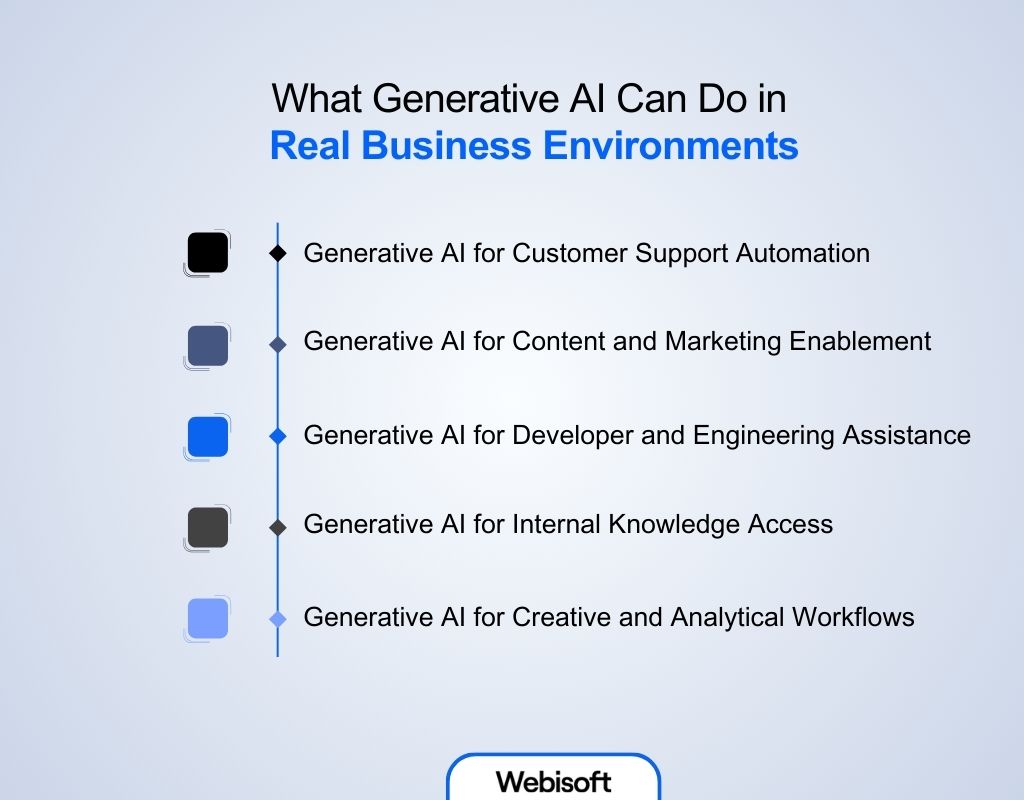
Here’s why understanding how to build Generative AI matters for your business operations:
Generative AI for Customer Support Automation
In customer support, Generative AI handles repetitive questions, summarizes tickets, and assists agents with accurate responses. Instead of replacing humans, it reduces backlog and response time while keeping answers consistent across channels.
Generative AI for Content and Marketing Enablement
Marketing teams use Generative AI to draft campaign content, adapt messaging for different audiences, and speed up approvals. The value comes from faster iteration, not mass content creation without control.
Generative AI for Developer and Engineering Assistance
For engineering teams, it helps explain legacy code, draft documentation, and suggest fixes. This shortens development cycles and reduces dependency on a few senior engineers.
Generative AI for Internal Knowledge Access
Instead of digging through folders, tools, or old emails, employees can ask questions and get precise answers pulled from approved sources. This cuts time spent searching, reduces repeated questions to senior staff, and helps new hires become productive faster.
Generative AI for Creative and Analytical Workflows
Teams use Generative AI to summarize data, compare scenarios, and draft insights before decisions are made. It removes the manual effort that slows analysis and reporting. This supports Generative AI for business automation, where routine thinking tasks no longer block strategy or execution.
Key Challenges in Building a Generative AI Solution
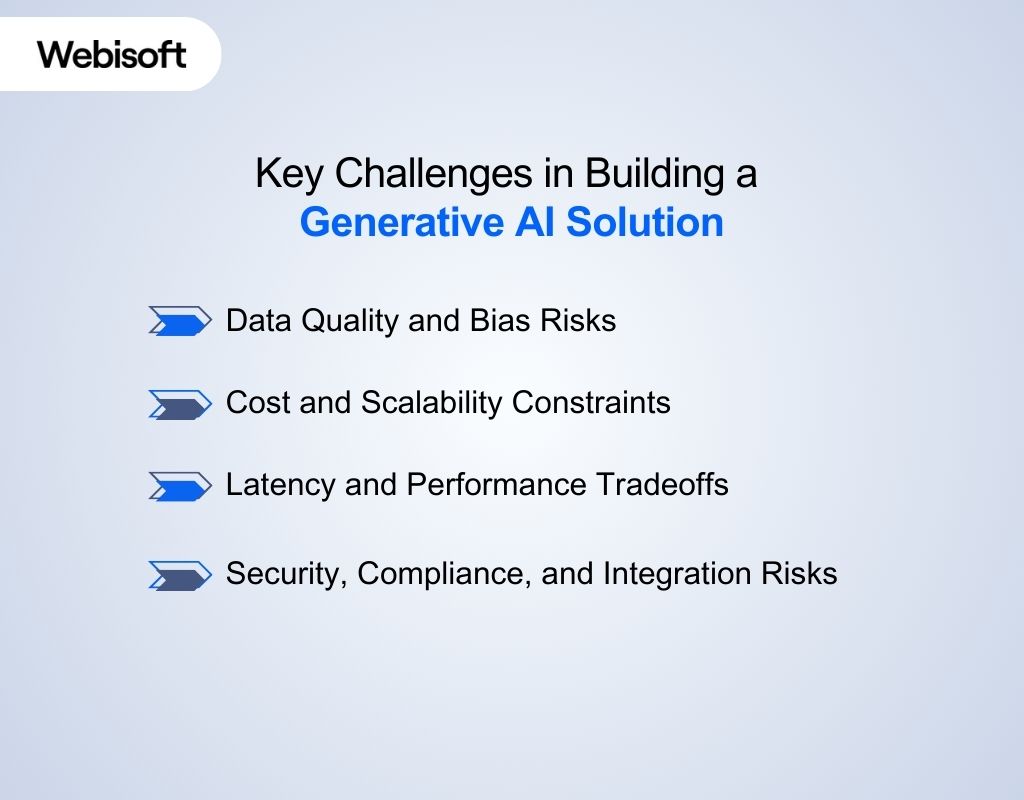
Even with a clear roadmap, real obstacles appear during execution. Understanding these challenges is essential when evaluating how to build Generative AI for a business environment rather than a demo.
Data Quality and Bias Risks
Poor data quality remains the most common failure point. Outdated documents, conflicting sources, and biased historical data directly affect output accuracy.
Many teams trying to learn to build Generative AI underestimate how quickly biased or incomplete data can erode trust once users rely on responses for decisions.
Cost and Scalability Constraints
Generative AI costs do not scale linearly. As usage grows, inference, storage, and retrieval costs rise fast. Without careful controls, systems that work well in pilots become too expensive at enterprise scale.
Latency and Performance Tradeoffs
Adding retrieval, safety checks, and integrations improves reliability but increases response time. Balancing user experience against correctness is an ongoing challenge.
Security, Compliance, and Integration Risks
Exposing internal data through AI increases security and compliance risk. Improper access controls, weak audit trails, or fragile integrations can create legal and operational issues before value is realized.
Why Choose Webisoft to Build Your Generative AI
Generative AI only delivers value when it is engineered for real business behavior. By now, you understand how to build generative AI and the complexity involved at every stage. These systems require careful execution, not shortcuts or assumptions.
Webisoft is a reliable partner for building Generative AI systems that perform in production. The focus stays on reliability, control, and long-term ownership rather than short-lived experiments. Every decision is guided by how the system behaves, real data, and real operational constraints.
Here’s why businesses choose Webisoft:
- Architecture-led system design: We design the complete generative AI technology stack, covering data pipelines, retrieval logic, safety layers, and integrations before engineering begins.
- Grounded and auditable generation: Our systems use approved data only, apply strict access controls, and maintain traceability across every response.
- Production-first development mindset: We focus on edge cases, cost control, output quality, and accuracy as usage and data scale.
- Enterprise-ready integrations: Webisoft embeds Generative AI directly into existing tools and workflows so it supports operations instead of creating disconnected systems.
- Built for scale and long-term reliability: From monitoring and governance to continuous optimization, we design Generative AI to remain useful months and years after launch.
If you’re ready to build the Generative AI for your business success, book the AI chatbot service provided experts at Webisoft now!
Conclusion
In summary, how to build Generative AI successfully comes down to disciplined execution, not experimentation. This roadmap shows how businesses move from readiness assessment to a scalable enterprise platform while avoiding the most common failure points.
By focusing on data strategy, safety controls, governance, and controlled scaling, organizations reduce risk and improve outcomes.
When delivered through experienced partners like Webisoft, Generative AI becomes a reliable business system that supports automation, efficiency, and measurable ROI.
FAQs
Here are some commonly asked questions by people regarding how to build Generative AI:
The timeline depends on data readiness, use-case complexity, and compliance needs. Most business-grade Generative AI systems take several weeks to months, including design, testing, and controlled rollout.
Yes. While models provide general capabilities, reliable business Generative AI depends on internal data. Without proprietary data, outputs remain generic and unreliable for real operational decision-making.
Yes. Generative AI is usually integrated into existing tools through APIs and workflows. It enhances current systems rather than replacing CRMs, ticketing platforms, or knowledge bases.