Clinical decision support system software, usually shortened to CDSS, sits between a hospital's patient data and the clinician who has to act on it. The software watches the record, applies medical logic, and surfaces a recommendation or warning at the moment a decision is being made: a drug interaction flag when an order is entered, a risk score when vitals trend the wrong way, a reminder that a patient is overdue for preventive screening.
That timing is the whole point. Clinical knowledge is not scarce; attention is. A physician working through a full panel of patients cannot re-read every guideline update or manually cross-check every medication list. A well-built CDSS does that mechanical work continuously and interrupts only when the finding justifies an interruption.
This guide covers what a CDSS is, the main categories, the functions these systems perform in practice, how to implement one without burying clinicians in alerts, and where the real benefits and trade-offs sit.
What is Clinical Decision Support Software?
A clinical decision support system is software that analyzes patient-specific data and presents targeted guidance to clinicians, care staff, or patients inside their workflow. The idea is older than most people assume: rule-based systems such as MYCIN date back to the 1970s, as the Wikipedia entry on clinical decision support systems documents. What changed is the data layer. Modern electronic health records (EHRs) expose structured, machine-readable patient data, which gives decision support far more material to reason over than a paper chart ever could.
Architecturally, most CDSS implementations share three parts:
- A knowledge source. Either an explicit rule base written by clinicians and informaticists (if renal function is below a threshold and the order is for a renally cleared drug, warn) or a trained statistical model that scores risk from historical data.
- An inference engine. The component that evaluates incoming patient data against the knowledge source and decides whether anything is worth saying right now.
- A delivery mechanism. The interruptive alert, passive banner, order set, or dashboard through which the output reaches a human. In modern stacks this is often wired through CDS Hooks, an HL7 standard that lets an EHR call an external decision support service at defined workflow moments, such as opening a chart or signing an order, and render the response inline.
The delivery mechanism deserves as much design attention as the logic. Decision support that fires at the wrong moment, in the wrong format, or at the wrong person gets ignored, and ignored alerts train clinicians to ignore the next one too. The ONC's clinical decision support resources frame this as delivering the right information to the right person in the right format through the right channel at the right time, and it is a useful checklist for every rule you ship.
Regulation also draws a line worth knowing before you write any code. In the United States, the FDA distinguishes software that presents information a clinician can independently review and act on from software that effectively makes the decision itself; the latter can be regulated as a medical device. The FDA's guidance on clinical decision support software is the reference document, and it should shape product scope from day one.
Different Categories of CDSS
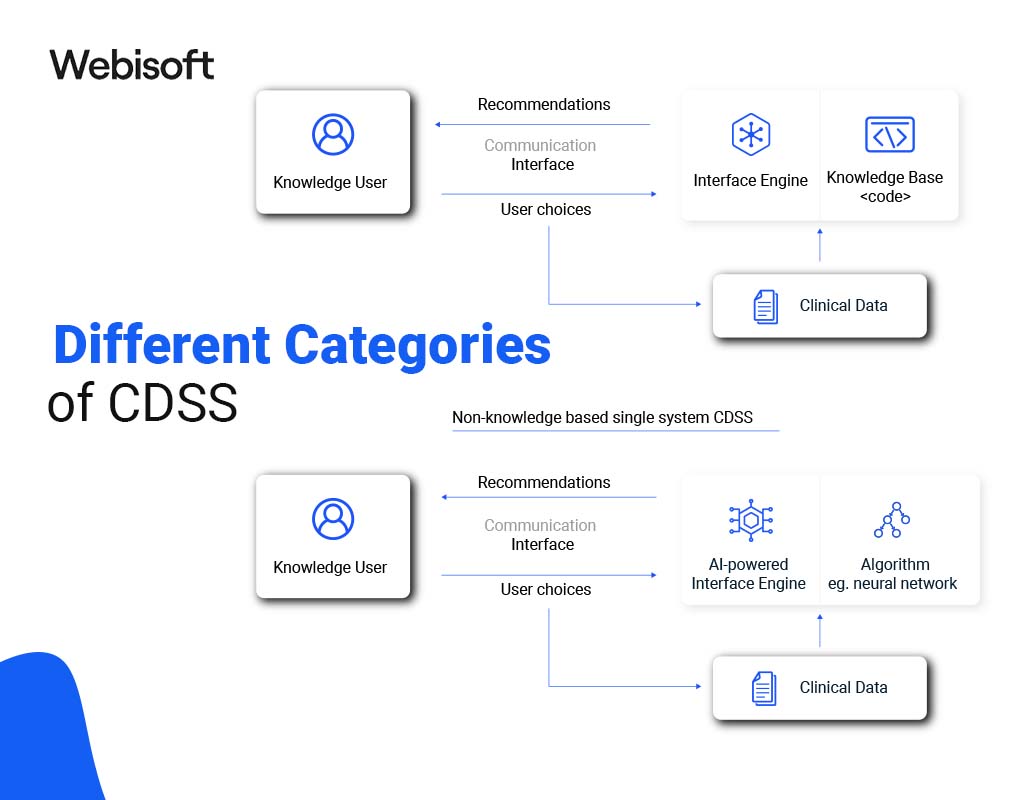
CDSS is an umbrella term. Real deployments usually combine several of the categories below, but each demands different engineering, different validation, and different maintenance.
1. Knowledge-Based Systems
Knowledge-based systems evaluate patient data against an explicit rule base derived from clinical guidelines, pharmacology references, and institutional protocols. Each rule pairs a condition with an action: a lab value outside range triggers a notification, a drug pair with a documented interaction triggers a warning at order entry.
Their strength is transparency. Every alert traces to a rule, and every rule traces to a source, which makes them auditable and easier to defend clinically. Their weakness is maintenance. Medical knowledge changes, formularies change, and a rule base nobody curates decays into noise. Budget for ongoing curation, not just the initial build.
2. Non-Knowledge-Based Systems
Non-knowledge-based systems replace hand-written rules with machine learning models trained on historical patient data. They can detect patterns no committee wrote down, such as subtle combinations of vitals, labs, and medication history that precede deterioration.
The trade-offs are real. Model outputs are harder to explain to the clinician being asked to act on them. Performance degrades when the patient population or documentation practices drift away from the training data, so these systems need continuous monitoring in production, not a one-time validation. They also attract closer regulatory scrutiny, since a model that outputs a directive score with no reviewable reasoning is more likely to fall on the device side of the FDA's line.
3. Clinical Guideline Systems
Guideline systems encode published care pathways into executable steps: what to check, what to order, and when to escalate for a given condition. Instead of asking a clinician to recall a multi-page protocol, the system presents the applicable branch for this specific patient. Done well, this narrows unwarranted variation between providers and keeps care aligned with current evidence as guidelines are updated centrally rather than relearned individually.
4. Diagnostic Assistance Systems
Diagnostic assistance systems analyze patient data to suggest or rank possible conditions. Classic examples generate a differential diagnosis from symptoms, labs, and history; newer ones triage medical images and flag studies that need urgent review. Their value is in surfacing the possibility a busy clinician did not consider, and their risk is automation bias, where a plausible suggestion narrows the clinician's own thinking. Good implementations present evidence alongside the suggestion so the human can check the reasoning.
5. Therapy Critiquing and Planning Systems
Therapy critiquing systems review a proposed treatment plan against the patient's profile before it executes: dose checked against weight and renal function, duplicate therapy detection, contraindication checks against allergies and comorbidities, and suggestions for alternatives when a conflict appears. Because they act at the point of ordering, they catch problems at the cheapest possible moment, before the order reaches the pharmacy or the patient.
What are the Functions of CDSS?
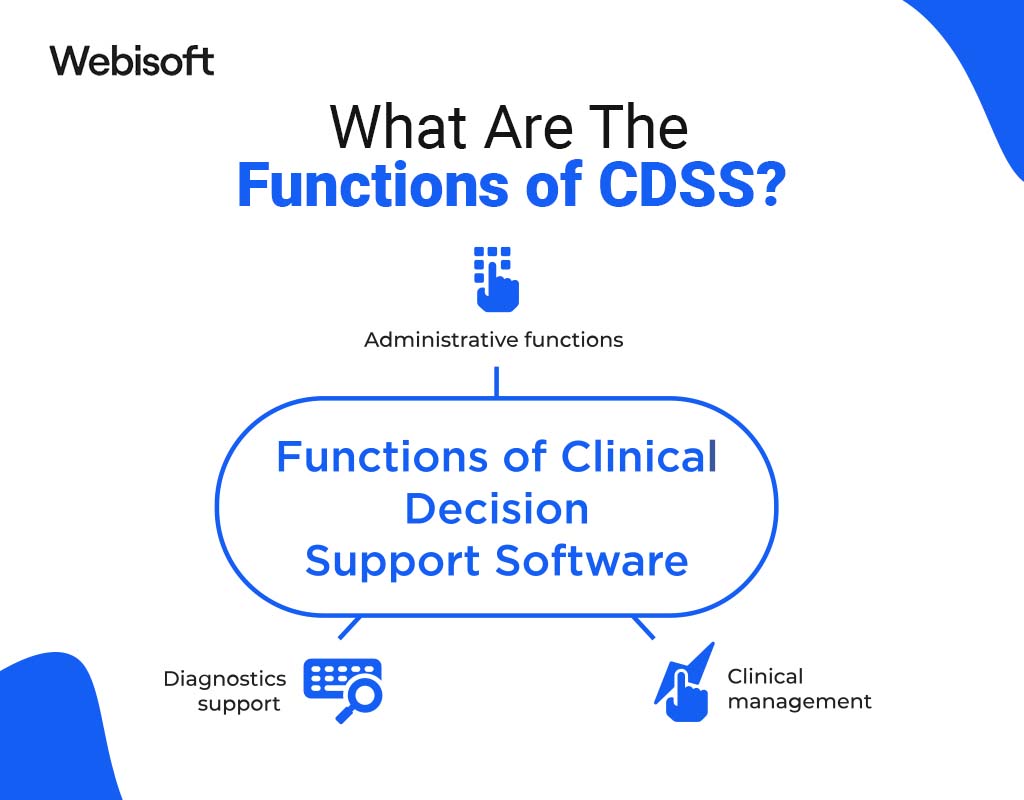
Across categories, deployed systems tend to perform five recurring functions.
1. Alerts and Reminders
The most visible function: drug-drug interaction and allergy checks at order entry, critical lab notifications, and reminders for overdue vaccinations or screenings. The engineering challenge here is precision, not recall. Every low-value alert raises the override rate for all alerts, so mature programs track how often each alert is dismissed and retire or refine the ones clinicians consistently ignore.
2. Clinical Guidelines and Order Sets
CDSS operationalizes evidence by packaging it into order sets and pathway prompts: admit a patient with a given diagnosis and the system proposes the standard bundle of orders, pre-filled and editable. This is decision support without interruption, and it often delivers more consistent behavior change than alerts because it makes the recommended action the path of least resistance.
3. Patient Data Reports and Dashboards
CDSS aggregates the chart into views built for decisions: a diabetic panel showing every patient out of range, a ward dashboard ranking patients by deterioration risk, a summary of an individual patient's history, active treatments, and open gaps in care. The same infrastructure supports population-level work, letting quality teams spot trends and target interventions.
4. Diagnostic Support
At the individual encounter, the system correlates findings across the record and flags patterns consistent with specific conditions, which shortens the path to a correct diagnosis and reduces the chance that an unusual presentation is missed. The clinician remains the decision maker; the software widens the set of hypotheses under consideration.
5. Therapy Planning and Critiquing
When a treatment plan is proposed, the system critiques it against the patient's data and current evidence: dosing adjustments, safer alternatives, missing baseline tests. Feedback arrives while the plan is still editable, which is what makes it useful.
Implementing CDSS Effectively
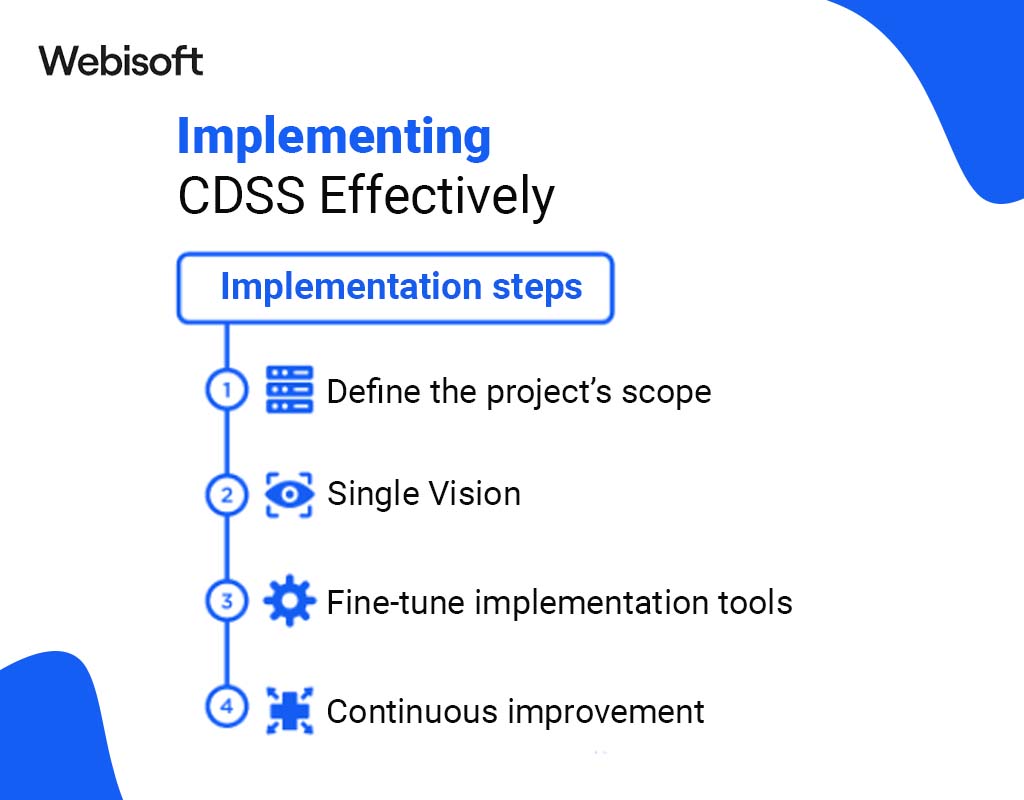
Most CDSS failures are implementation failures, not algorithm failures. The sequence below reflects what separates systems that get used from systems that get overridden.
1. Identify the Clinical Problem First
Start from a measurable problem: a class of medication errors, missed screenings in a defined population, slow response to deteriorating patients. A concrete target defines what data the system needs, who must see its output, and how you will know whether it worked. Deploying decision support without a target produces alerts nobody asked for.
2. Choose the Right System
Evaluate candidates against the problem, not the demo. The questions that matter: does it consume your EHR's data natively, can your team author and modify rules without vendor involvement, does it log enough to audit every recommendation, and can it scale to additional use cases without a re-platform. Favor systems built on open standards over closed integrations you cannot extend.
3. Integrate with Existing Systems
Integration quality caps everything else. A CDSS reasoning over stale or incomplete data produces confidently wrong output. Modern integrations use HL7 FHIR APIs for patient data and CDS Hooks or SMART on FHIR to embed the service in the clinician's workflow. Verify data quality first: medication lists that are not reconciled and allergies recorded as free text will undermine the best rule logic.
4. Train Staff and Set Governance
Clinicians need to know what the system checks, what it cannot see, and how to respond when they disagree with it. Just as important is a governance body, typically clinicians plus informatics staff, that owns the rule base: it approves new rules, reviews override data, and retires alerts that no longer earn their interruptions. Without an owner, every CDSS drifts toward noise.
5. Monitor, Measure, and Prune
Track alert volume, override rates per rule, and movement on the clinical metric you targeted in step one. Rules that are always overridden are candidates for redesign or removal. For machine learning components, monitor performance against current data continuously, since silent drift is the default failure mode. Treat the rule base like production code: versioned, reviewed, and pruned.
Benefits and Trade-offs of Clinical Decision Support Software
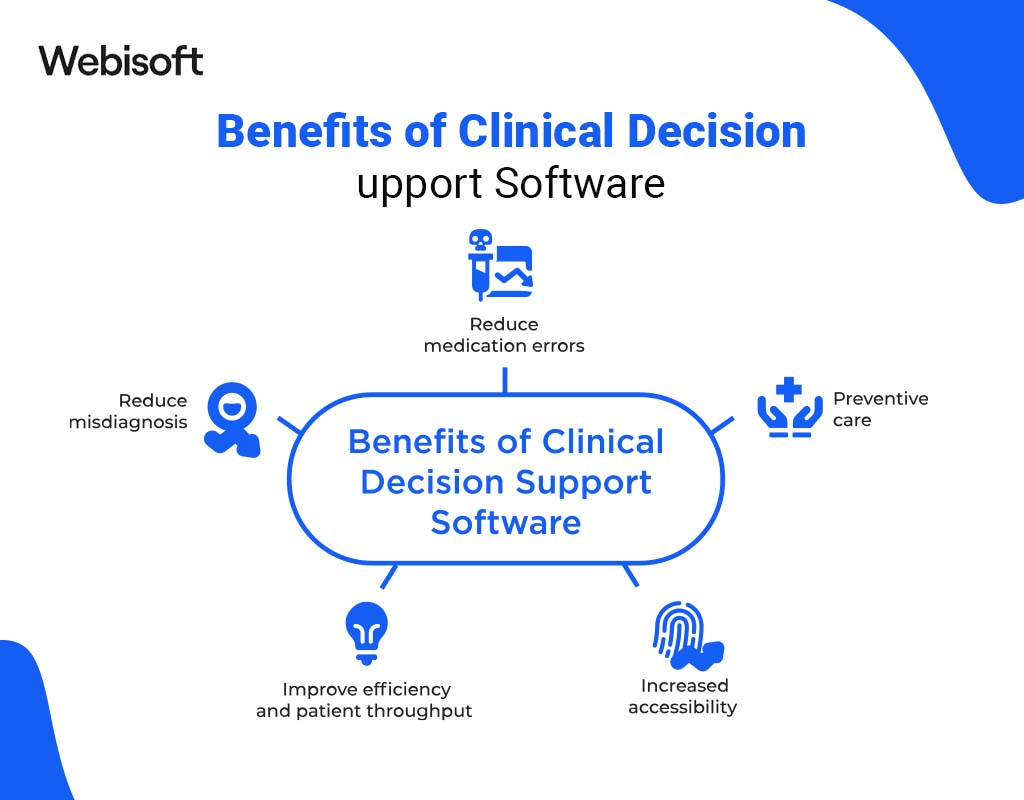
1. Improved Quality of Care
Evidence reaches the bedside without depending on any individual's memory. Guideline updates propagate through the rule base once instead of through thousands of individual relearning events, which narrows variation between providers and keeps practice current.
2. Increased Efficiency
Routine cross-checking, gap detection, and data assembly happen in software, returning clinician time to the patient. Order sets compress multi-step workflows into a single reviewed action.
3. Reduced Errors
Interaction checks, allergy checks, and dose verification at order entry intercept a class of mistakes that are individually rare but serious at scale. The system never gets tired at hour eleven of a shift, which is precisely when human vigilance drops.
4. Better Patient Outcomes
Earlier identification of risk, fewer missed steps in protocols, and closed gaps in preventive care compound into better outcomes. The effect is strongest where the baseline process depended on manual tracking.
5. Cost Control
Prevented adverse events, avoided duplicate testing, and reduced unwarranted practice variation all remove cost. Decision support that steers ordering toward clinically equivalent but less expensive options adds a direct savings lever.
The Trade-offs to Plan For
None of this is free. Alert fatigue is the dominant failure mode: over-alerting trains clinicians to click through warnings, including the ones that matter. Integration with legacy systems is often the largest line item in the budget. Machine learning components require ongoing monitoring and clear accountability for when the model is wrong. And automation bias, the tendency to accept a plausible suggestion without scrutiny, must be countered by showing the evidence behind each recommendation rather than a bare score. Teams that plan for these from the start build systems that clinicians actually trust.
How Webisoft Helps You
Webisoft is a Montreal-based software development firm that builds custom software end to end: architecture, API and systems integration, data pipelines, rule-driven backends, dashboards, and production deployment. For decision support projects, that means the unglamorous parts that determine success get engineered properly: clean FHIR-based data access, an auditable rules layer your own team can maintain, and delivery surfaces that fit the workflow instead of interrupting it.
If you are scoping a CDSS, integrating decision support into an existing platform, or modernizing the data layer underneath one, reach out to Webisoft and talk through the build with an engineering team.
End Note
Clinical decision support system software works when it treats clinician attention as the scarce resource it is: sound knowledge sources, an inference layer that knows when to stay silent, delivery inside the workflow, and governance that prunes as diligently as it adds. Get those right and the payoff is fewer errors, more consistent care, and time returned to patients. Get them wrong and you have built an alert generator.
Start with one measurable clinical problem, integrate on open standards, and measure everything the system says. That is the difference between decision support and decision noise.
A CDSS is software that analyzes patient-specific data, such as medications, labs, vitals, and history, and presents targeted guidance to clinicians inside their workflow. Typical outputs include drug interaction warnings at order entry, risk scores, care gap reminders, and evidence-based order sets.
Knowledge-based systems evaluate patient data against explicit, human-written rules derived from guidelines and pharmacology references, which makes every alert traceable and auditable. Non-knowledge-based systems use machine learning models trained on historical data to detect patterns no rule captures, at the cost of explainability and a need for continuous performance monitoring in production.
Modern integrations read patient data through HL7 FHIR APIs and embed decision support in the clinician's workflow using standards like CDS Hooks and SMART on FHIR. The EHR calls the decision support service at defined moments, such as opening a chart or signing an order, and renders the response inline. Data quality in the EHR sets the ceiling on how useful the output can be.
It depends on what the software does. Under FDA guidance, decision support that presents information and reasoning a clinician can independently review is generally not regulated as a medical device, while software that effectively directs the clinical decision, for example an opaque score the clinician cannot verify, may be. Product scope should be defined against that guidance before development starts.
Alert fatigue is the desensitization that occurs when clinicians receive too many low-value interruptions, causing them to override warnings reflexively, including important ones. Prevention is a governance discipline: track override rates per rule, retire or refine alerts that are consistently dismissed, prefer non-interruptive formats like order sets where possible, and require every new alert to justify its interruption.
